 English
 فارسی







TitanForge EA MT5 – Automated XAUUSD Gold Trading Expert Advisor
Introduction to TitanForge EA MT5
TitanForge EA MT5 is an automated trading Expert Advisor developed specifically for trading Gold (XAUUSD) on the MetaTrader 5 platform. Operating on the H1 timeframe, it uses an algorithmic impulse-swing approach focused on directional momentum, volatility expansion, and controlled position management.
Rather than maintaining continuous market exposure, TitanForge EA analyzes price behavior and waits for selected market conditions before considering a trade. Its objective is to identify suitable trading opportunities while applying predefined entry and exit rules.
Risk management is integrated into the system through hard Stop Loss protection, dynamic trailing, automatic or fixed lot sizing, spread protection, slippage control, and account-level loss limits.
An important characteristic of TitanForge EA is its approach to position exposure:
- No Grid trading.
- No Martingale.
- No uncontrolled averaging.
- A hard Stop Loss for every position.
- Independent management of open positions.
These features make TitanForge EA an option for traders looking for an automated Gold trading system with configurable risk controls and selective trade execution.
Key Features of TitanForge EA MT5
TitanForge EA combines automated XAUUSD trading with several execution and account-protection functions.
- Gold Trading: Developed specifically for XAUUSD.
- Recommended Timeframe: H1.
- Automated Execution: Opens trades according to its internal trading logic.
- Signal Filtering: Analyzes momentum, volatility, and price behavior.
- Hard Stop Loss: Applies predefined protective Stop Loss levels.
- Dynamic Trailing: Adjusts the protective stop as a position moves into profit.
- Money Management: Supports automatic risk-based sizing and fixed lots.
- Spread Protection: Can block entries when spreads exceed the configured limit.
- Slippage Control: Allows maximum execution deviation to be configured.
- News Filter: Restricts new entries around selected major economic events.
- Daily Loss Protection: Supports a configurable daily loss threshold.
- Overall Loss Protection: Supports an account-level loss threshold.
- Information Panel: Displays trading and execution information on the chart.
How Does TitanForge EA Work?
TitanForge EA follows an algorithmic impulse-swing strategy designed for the Gold market on the H1 timeframe.
The system evaluates market conditions and looks for a suitable combination of:
- Directional momentum.
- Volatility expansion.
- Price behavior.
- Additional signal confirmation, when enabled.
The EA does not aim to open trades continuously. Instead, it waits for conditions that meet its internal trading criteria. This selective approach is intended to avoid forcing entries when the market does not match the strategy’s requirements.
Once a position is opened, it is managed according to predefined protection and exit rules. Each position is handled independently, with its own protective Stop Loss and applicable trailing logic.
Advanced Risk Management and Money Management
Risk management is an integral part of TitanForge EA MT5. Traders can choose between automatic position sizing and manual fixed-lot trading.
Automatic Position Sizing
When automatic volume calculation is enabled, the EA calculates the trading volume according to the selected Risk Level and current account conditions.
This allows users to adjust the position-sizing profile without manually entering a lot size for every trade.
Fixed Lot Mode
Traders who prefer direct control can disable automatic volume calculation and specify a fixed lot size.
This option can be useful when testing a consistent position size or following a predefined trading plan.
Default Account Protection Settings
TitanForge EA includes the following default protection thresholds:
- Daily Loss Limit: 5%
- Overall Loss Limit: 10%
When a configured loss threshold is reached, the EA can suspend new trading activity.
These settings provide an additional layer of account-level risk control. However, they do not guarantee that losses will remain within the specified percentages. Market gaps, slippage, execution delays, and other trading conditions can affect the final account result.
Dynamic Trailing Stop System
TitanForge EA includes a dynamic trailing mechanism designed to manage profitable positions by following price movement.
After the required profit condition is reached, the EA can progressively move the protective Stop Loss behind the market price. The purpose is to adjust trade protection as a position develops rather than relying exclusively on its initial stop level.
Default Trailing and Protection Parameters
- Take Profit Distance: 500 points
- Protective Stop Loss: 1,900 points
- Minimum Trailing Shift: 30 points
- Trailing Distance: 140 points
These values are included in the standard configuration and can be adjusted when appropriate.
Actual distances and execution behavior depend on the broker’s symbol specifications, including XAUUSD digits and point size. Traders should verify the meaning of these values on their own trading account before using the EA live.
Integrated Economic News Filter
Gold prices can experience significant volatility around major economic announcements, particularly news events affecting the US dollar and financial markets.
TitanForge EA includes an economic news filter designed to restrict new entries around selected high-impact releases.
Default news filter settings:
- 50 minutes before major news.
- 50 minutes after major news.
This function is intended to reduce exposure to periods when spreads, volatility, and execution conditions may become less predictable.
A news filter cannot eliminate event-related risk or guarantee that existing positions will be protected from sudden market movements.
Execution Protection: Spread Filter and Slippage Control
Trading conditions can change considerably during market rollover, reduced-liquidity periods, and major price movements. TitanForge EA provides two execution-related controls to help manage these conditions.
Spread Protection
The spread filter allows users to define the maximum acceptable spread for opening new positions.
If the current spread exceeds the configured threshold, the EA can block new entries until conditions meet the selected requirement.
Slippage Control
The slippage setting defines the maximum permitted execution deviation.
This gives traders an additional way to configure order execution according to their broker and account conditions. However, slippage control cannot guarantee execution at the requested price in every market situation.
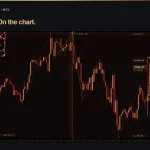
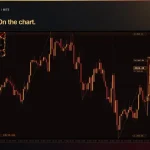
On-Chart Information Panel
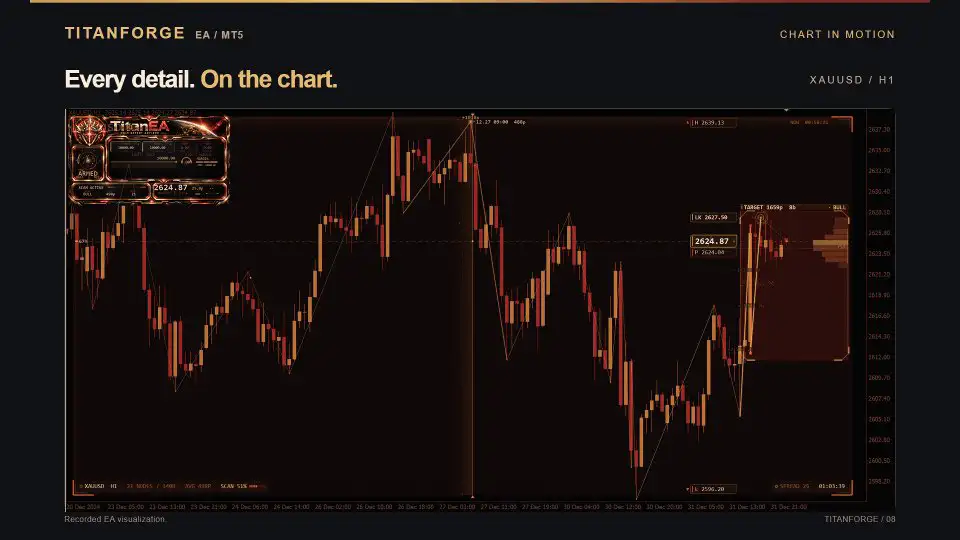
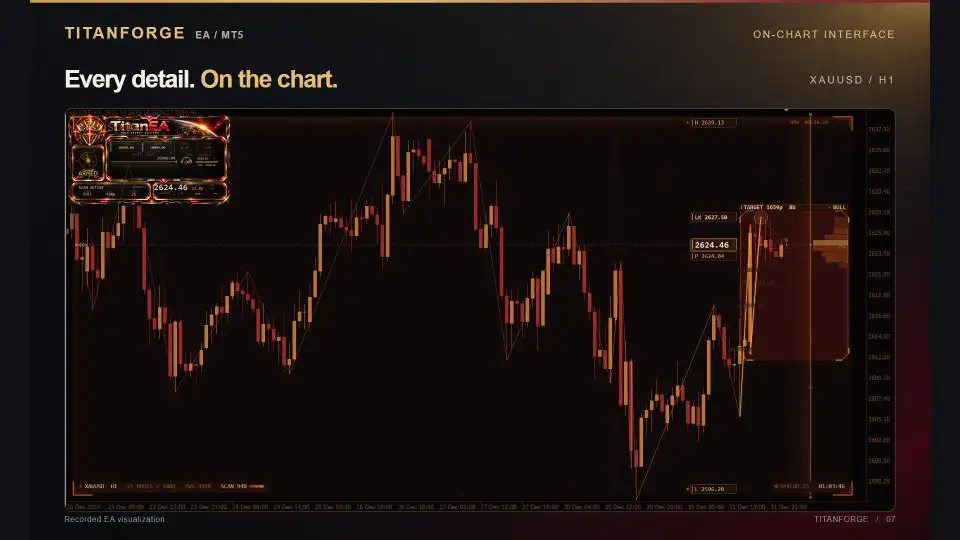
TitanForge EA MT5 includes an integrated information panel displayed directly on the trading chart.
Depending on the current operating conditions, the panel can display:
- Current EA status.
- Scanning and trading status.
- Current spread.
- Candle countdown.
- Trading levels.
- Execution information.
- Strategy status.
The information panel can be enabled or disabled through the EA settings, allowing traders to customize the chart display.
TitanForge EA MT5 Backtest Results
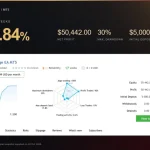
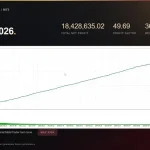
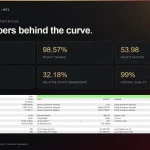
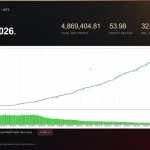
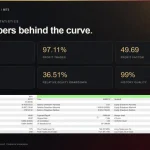
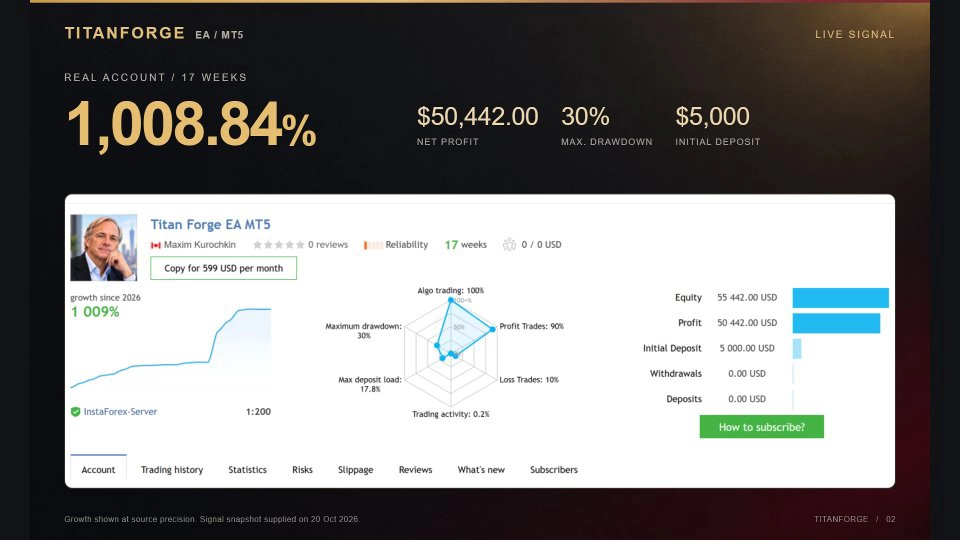
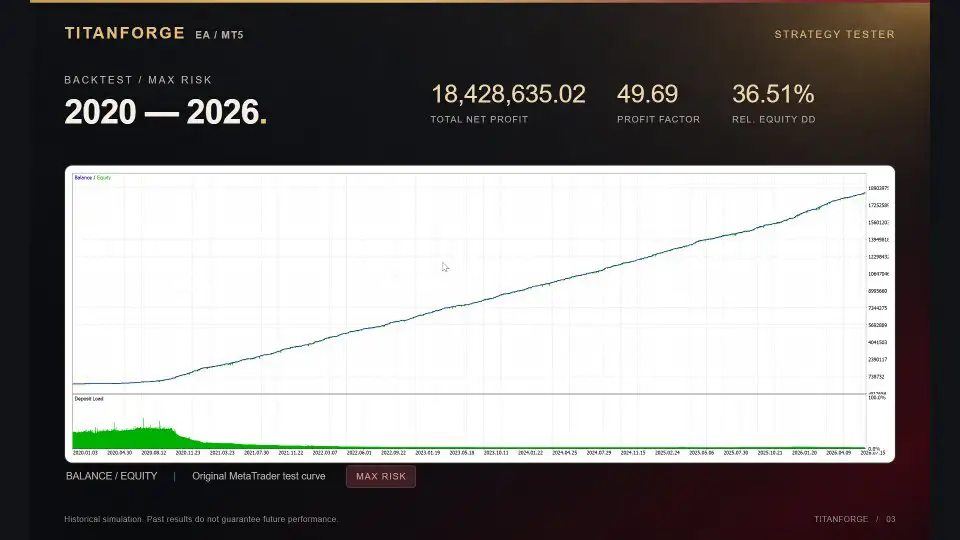
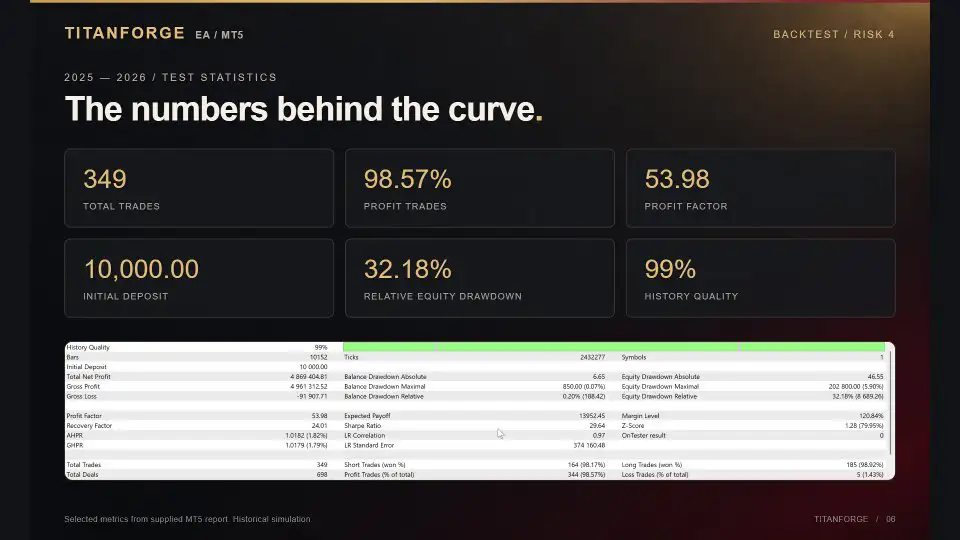
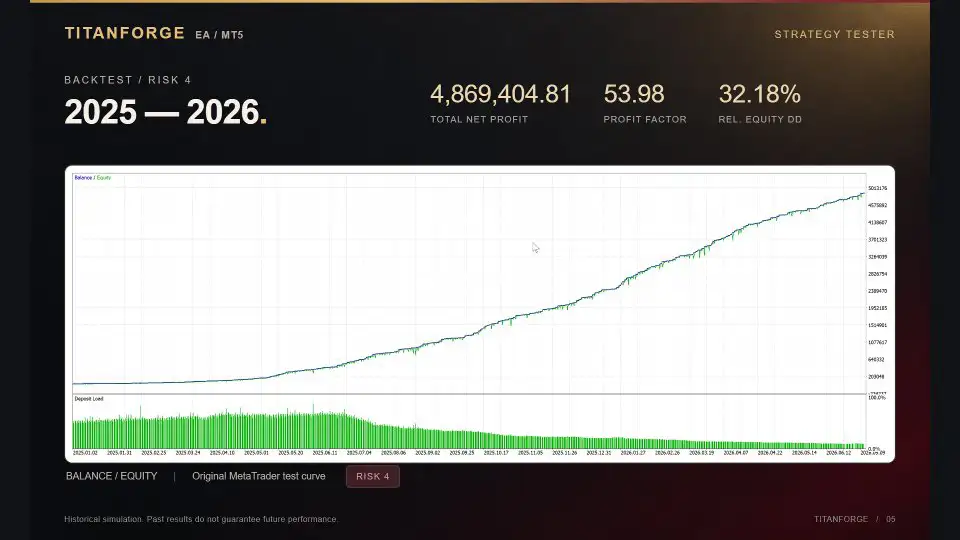
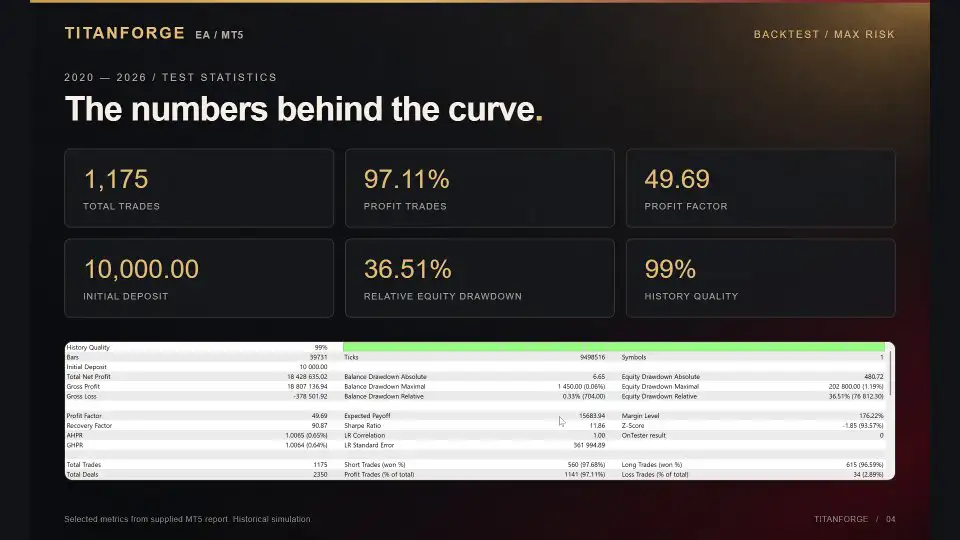
Historical testing was performed using real tick modeling. The supplied results include a long-term test covering 2020–2026 and a more recent market test covering 2025–2026.
Long-Term Historical Test: 2020–2026
- Test Profile: Maximum Risk Test
- Total Trades: 1,175
- Winning Trades: 1,141
- Losing Trades: 34
- Win Rate: 97.11%
- Profit Factor: 49.69
- Sharpe Ratio: 11.86
- Recovery Factor: 90.87
- Relative Drawdown: 36.51%
Recent Market Test: 2025–2026
- Test Profile: Maximum Risk Test
- Total Trades: 1,175
- Winning Trades: 1,141
- Losing Trades: 34
- Win Rate: 97.11%
- Profit Factor: 49.69
- Sharpe Ratio: 11.86
- Recovery Factor: 90.87
- Relative Drawdown: 36.51%
Understanding the Backtest Statistics
The reported figures describe historical simulations, not guaranteed future performance. In particular, the high historical win rates should be considered alongside the reported relative drawdowns and the risk profile used during testing.
A high win rate does not necessarily mean low risk. Profitability also depends on the size of winning and losing trades, position sizing, execution quality, and the strategy’s behavior under changing market conditions.
Live trading results may differ because of:
- Broker spreads and commissions.
- Slippage and execution speed.
- Available liquidity.
- Price-feed differences.
- XAUUSD contract specifications.
- Account type and trading conditions.
Traders should independently verify the backtest reports and conduct forward testing before committing significant capital.
Recommended Settings and Trading Requirements
TitanForge EA is designed for Gold trading on MetaTrader 5, with H1 as its recommended timeframe.
- Expert Advisor: TitanForge EA MT5
- Platform: MetaTrader 5
- Trading Symbol: XAUUSD / Gold
- Timeframe: H1
- Approximate Minimum Balance: $300 with fixed 0.01 lot
- Recommended Balance: $1,000+ with automatic risk sizing
- Account Type: ECN, Raw Spread, or Pro
- VPS: Recommended
- Preferred VPS Latency: Approximately 20–30 ms or lower, where possible
The suggested $300 balance applies to the stated fixed 0.01-lot setup and should not be interpreted as a guarantee of sufficient margin or safe risk exposure. The recommended $1,000 or higher balance for automatic risk sizing is also a guideline rather than a performance guarantee.
For more consistent connectivity, using a VPS located close to the broker’s trading server is preferable. Lower latency may help reduce communication delays, although it cannot eliminate execution risks.
Main TitanForge EA MT5 Parameters
The EA provides configurable settings so traders can adjust its behavior to their preferred operating profile.
- Display the EA Information Box: Shows or hides the on-chart information panel.
- Require an Additional Signal Before Opening: Enables an extra entry-confirmation filter.
- Calculate Volume Automatically: Activates automatic position sizing.
- Risk Level Applied to Each Position: Defines the risk profile used for automatic volume calculation.
- Profit Target Distance: Sets the Take Profit distance.
- Protective Stop Distance: Defines the hard Stop Loss distance.
- Follow Price with the Stop Once in Profit: Enables dynamic trailing.
- Halt Trading When Loss Thresholds Are Reached: Activates account protection.
- Daily Loss Ceiling: Sets the daily loss threshold.
- Overall Loss Ceiling: Sets the overall loss threshold.
- Suspend Trading During Scheduled News: Enables the economic news filter.
The default configuration is provided as a starting point. Users should review the parameters and select settings appropriate for their broker, account size, and risk tolerance.
Why Consider TitanForge EA MT5 for Gold Trading?
TitanForge EA combines an XAUUSD-focused H1 strategy with automated execution, predefined trade protection, and configurable account controls.
Its main characteristics include:
- A strategy designed specifically for Gold.
- Selective entries based on momentum and volatility.
- No Grid or Martingale trading.
- A hard Stop Loss on every position.
- Dynamic trailing-stop management.
- Automatic and fixed-lot money management.
- Spread and slippage controls.
- An integrated economic news filter.
- Daily and overall loss protection.
- An on-chart information panel.
- A default configuration that does not require an external SET file.
For traders exploring automated Gold trading on MetaTrader 5, these functions provide a range of settings for evaluating and configuring the system.
Important Risk Disclaimer
Trading leveraged financial instruments, including Gold, forex, and CFDs, involves significant financial risk. You may lose part or all of your invested capital. Automated trading does not remove market risk or guarantee profits.
Historical backtests and reported trading statistics represent past simulated performance and do not guarantee similar results in live trading. Even a strategy with a high historical win rate can experience substantial drawdowns and losing periods.
Although TitanForge EA includes Stop Loss protection, trailing management, spread filters, slippage controls, news filtering, and account loss thresholds, none of these mechanisms can eliminate risk. Market gaps, rapid price movements, liquidity shortages, platform interruptions, and execution differences may cause actual losses to exceed expected levels.
Before using real funds:
- Test the EA on a demo account with your own broker.
- Verify XAUUSD contract specifications and point values.
- Review the automatic risk-sizing settings.
- Evaluate drawdown as well as win rate and profit factor.
- Confirm that the configuration is suitable for your account and trading objectives.
Choose your risk settings carefully and never trade with money you cannot afford to lose.












Reviews
There are no reviews yet.