 English
 فارسی





The Last Broker EA MT5: Dual-Strategy Automated Gold Trading for MetaTrader 5
Introduction to The Last Broker EA MT5
Automated gold trading requires more than simply opening and closing positions. Traders also need a structured approach to trade management, position sizing, risk settings, and execution conditions. The Last Broker EA MT5 is an algorithmic trading system developed for MetaTrader 5, designed specifically for the XAUUSD (gold) market.
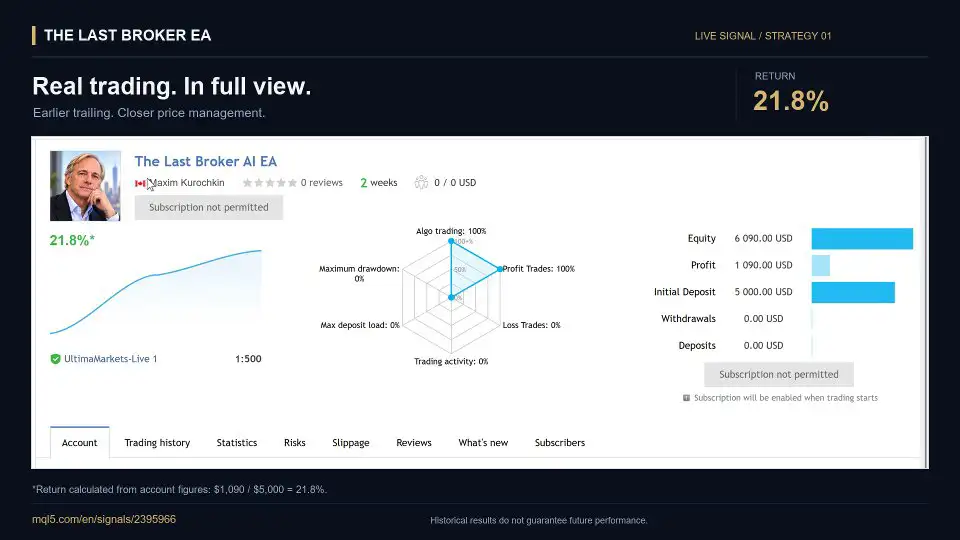
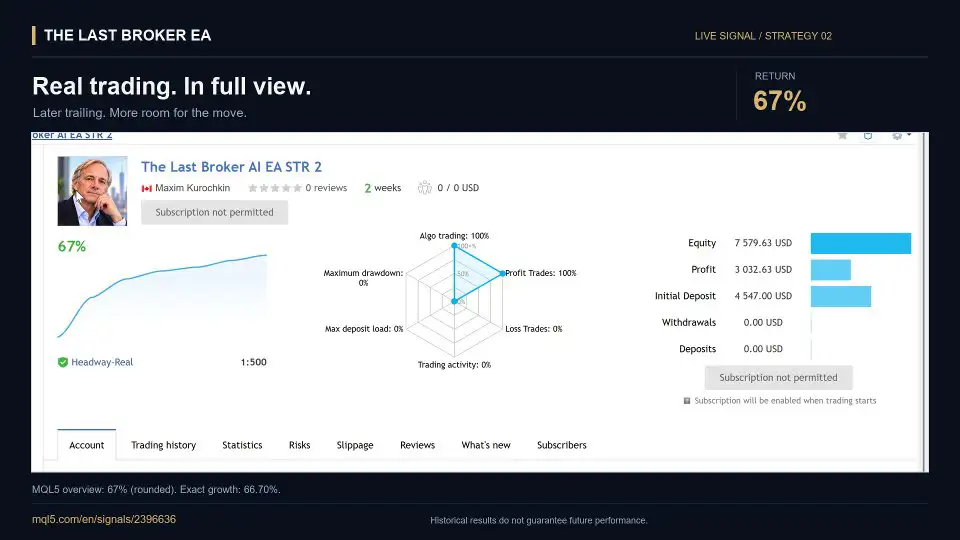
The system combines two distinct trading algorithms in one Expert Advisor, giving users a choice between different trailing-stop approaches. Both strategies use predefined Take Profit (TP) and Stop Loss (SL) levels, while their main difference lies in how and when trailing management is activated.
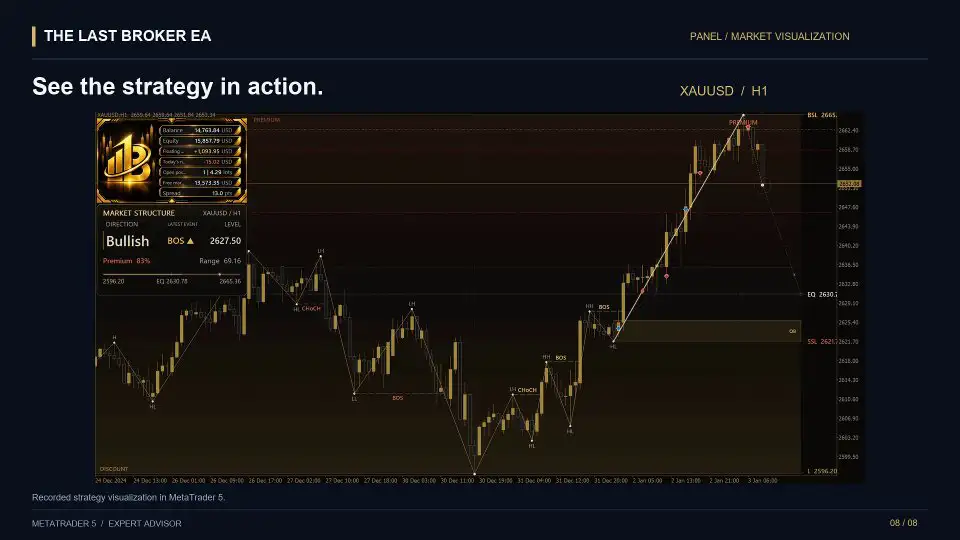
Alongside its dual-strategy architecture, The Last Broker EA includes configurable position sizing, adjustable risk profiles, optional account and daily drawdown protection, and execution controls. An integrated trading panel also displays important account information and market context, helping users monitor their trading environment from one workspace.
Whether traders prefer closer stop management or a wider trailing approach, this MT5 gold trading EA provides configurable options for building and testing an XAUUSD trading setup.
What Is The Last Broker EA MT5?
The Last Broker EA MT5 is an automated Expert Advisor for MetaTrader 5, designed to trade XAUUSD using predefined algorithmic rules and configurable trade-management settings.
Its main concept is to bring two trading algorithms together in one system. Instead of relying on a single trailing-stop profile, users can select between two approaches with different activation timing and trailing distances.
The EA is designed around the following principles:
- Automated XAUUSD trading through MetaTrader 5.
- Two selectable trading algorithms.
- Predefined Take Profit and Stop Loss levels.
- Two distinct trailing-stop profiles.
- Dynamic or manually selected position sizing.
- Adjustable risk profiles.
- Optional account and daily drawdown protection.
- Spread and execution-deviation controls.
- An integrated panel for account and market monitoring.
The system does not use grid trading or Martingale position sizing. Its trade management is based on the selected algorithm, configured risk parameters, and available execution settings.
Dual-Strategy Architecture: Two Ways to Manage Gold Trades
One of the main features of The Last Broker EA is its dual-strategy design. Both algorithms are developed for XAUUSD, but each follows a different trailing-stop approach.
The strategies share predefined TP and SL levels while differing in how closely they follow price movement after trailing becomes active.
This gives traders two distinct trade-management profiles to evaluate according to their preferences and testing results.
Strategy 1: Precision Trail
Precision Trail is designed for earlier and closer trailing-stop management.
This strategy activates its trailing mechanism sooner and follows the market at a tighter distance. Its approach is intended for traders who prefer closer stop management as a position moves into profit.
Key characteristics include:
- Earlier trailing activation.
- A tighter trailing distance.
- Closer follow-through as price develops.
- Predefined Take Profit and Stop Loss levels.
The earlier activation and tighter trailing distance create a more closely managed position profile. However, closer trailing can also result in a position being closed after a smaller price retracement.
Strategy 2: Extended Trail
Extended Trail uses a later trailing activation point and a wider trailing distance.
Compared with Precision Trail, this strategy allows more room for price fluctuations before the trailing mechanism takes over. It is designed for traders who prefer a wider approach to position management.
Its main characteristics include:
- Later trailing activation.
- A wider trailing distance.
- More room for price movement during a trade.
- Predefined Take Profit and Stop Loss levels.
The wider trailing approach may allow a position to withstand larger price fluctuations before the stop follows the market. However, it does not guarantee that a trade will remain open longer or achieve a better result.
Precision Trail vs. Extended Trail
- Trailing Activation: Precision Trail – Earlier | Extended Trail – Later
- Trailing Distance: Precision Trail – Tighter | Extended Trail – Wider
- Position Management: Precision Trail – Closer | Extended Trail – Allows more price fluctuation
- Take Profit: Precision Trail – Predefined | Extended Trail – Predefined
- Stop Loss: Precision Trail – Predefined | Extended Trail – Predefined
The choice between these two algorithms should be based on testing, trading objectives, and the behavior observed under the intended broker and account conditions.
Position Sizing and Risk Management Features
Position sizing and risk configuration are important parts of any automated trading system. The Last Broker EA provides several settings that allow users to configure how trading volume and risk controls are handled.
Dynamic or Manual Position Sizing
The EA supports two position-sizing approaches:
- Dynamic position sizing: Allows trading volume to be determined dynamically according to the configured system.
- Manual trading volume: Allows users to select their preferred trading volume.
The appropriate configuration depends on the user’s account size, risk tolerance, broker conditions, and trading objectives. Users should understand how their selected position-sizing method affects potential losses before enabling automated trading.
Configurable Risk Profiles from 0 to 5
The system provides configurable risk profiles ranging from 0 to 5.
These options allow users to select a risk configuration according to their preferences and testing requirements. The actual effect of each profile should be checked in the EA’s settings and evaluated through testing rather than assumed from the numerical label alone.
Configurable Take Profit and Stop Loss
The Last Broker EA includes configurable Take Profit and Stop Loss parameters.
These settings form part of the trade-management structure for both algorithms. Traders can evaluate different TP and SL configurations to determine how they behave under historical and demo trading conditions.
A Stop Loss is a risk-management tool, not a guarantee that a position will close at the exact specified price. Execution can be affected by market conditions, price gaps, slippage, and broker execution policies.
Optional Account and Daily Drawdown Protection
The EA includes optional account and daily drawdown protection, which becomes active when enabled.
These controls are designed to add another layer of risk management by allowing users to configure protection settings for their trading activity.
Users should review the relevant parameters carefully and understand the conditions under which the protection features operate. Optional protection should not be treated as a guarantee against losses.
Spread and Execution-Deviation Limits
Execution conditions can affect automated trading, particularly in markets where spreads and prices fluctuate.
The Last Broker EA provides configurable spread and execution-deviation limits. These settings allow users to define execution conditions for their trading setup.
The appropriate limits may depend on the broker, account type, market conditions, and trading environment. Settings should be tested under conditions that resemble the intended live deployment.
Friday Entry Setting
The EA also includes a Friday entry setting, providing an additional configuration option for managing trading activity at the end of the trading week.
Users should review this setting and configure it according to their trading schedule and risk preferences.
Integrated Trading Panel: Monitor Your Account and Market Context
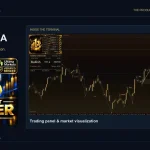
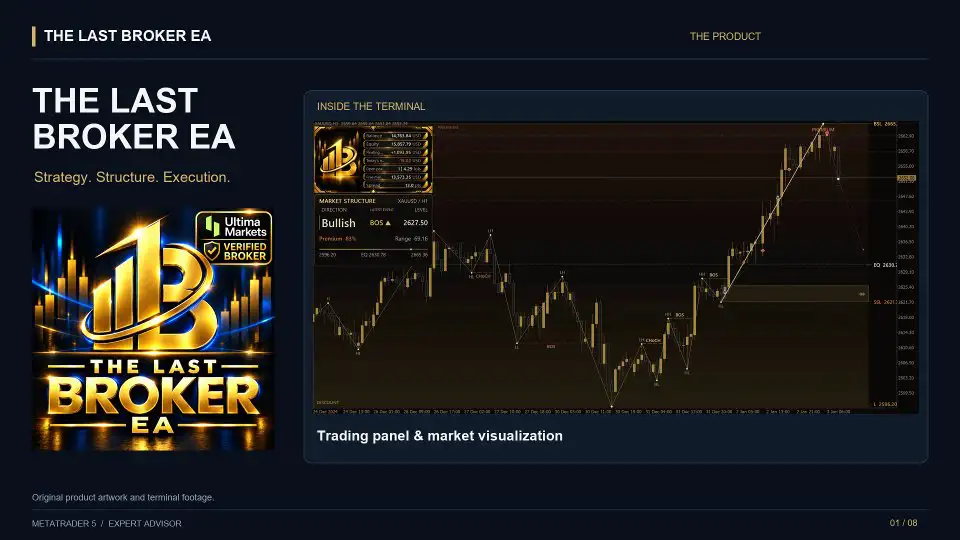
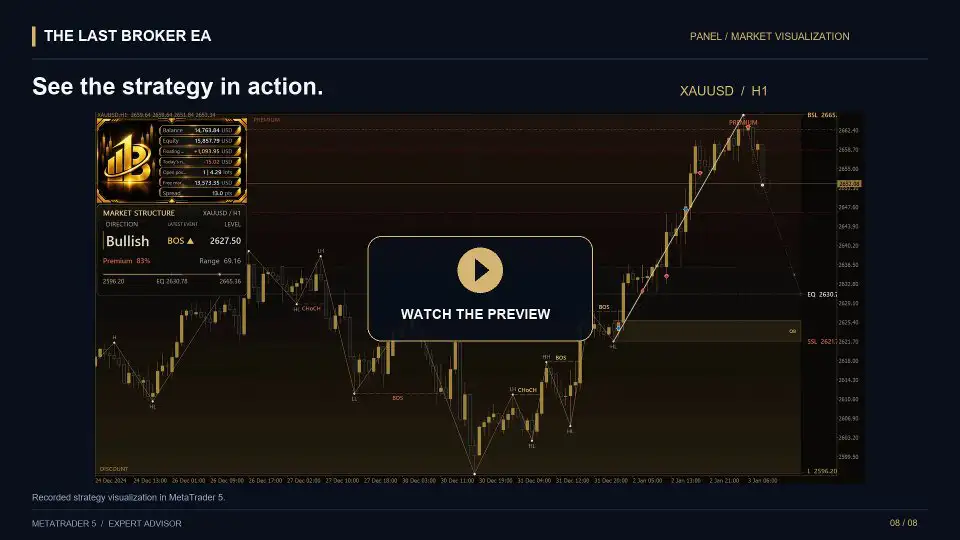
The Last Broker EA includes an integrated trading panel designed to bring account monitoring and market information into one workspace.
Rather than relying only on the chart and the standard MetaTrader 5 account display, users can view several important trading details alongside the market.
The panel displays information such as:
- Account balance.
- Account equity.
- Floating profit and loss (P/L).
- Open positions.
- Margin information.
These details help users monitor account activity and review their current exposure while the EA is operating.
Market Structure Labels and Price Zones
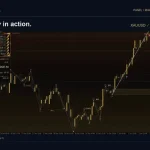
In addition to account information, the integrated workspace includes market-structure labels and price zones.
These visual elements provide additional market context alongside position monitoring. They are intended to help users view relevant chart information without separating it from the EA’s account and trade-management panel.
The panel brings together two important areas of an automated trading environment: account monitoring and visual market context.
How to Prepare The Last Broker EA MT5 for Trading
Before deploying an automated XAUUSD trading system, it is important to select appropriate settings and evaluate the configuration under realistic conditions.
The Last Broker EA is designed to allow users to choose their preferred algorithm and configure the relevant trading parameters.
A structured preparation process can help users understand how the EA behaves before considering live deployment.
1. Select Your XAUUSD Trading Algorithm
Choose between the two available strategies:
- Precision Trail: For earlier trailing activation and a tighter trailing distance.
- Extended Trail: For later trailing activation and a wider trailing distance.
Evaluate both approaches through testing rather than assuming that one strategy will always perform better.
2. Choose a Tested Timeframe
Select an XAUUSD timeframe that has been evaluated with your intended settings.
The timeframe used for testing should match the configuration you plan to assess. Changing the timeframe or other important parameters may affect the strategy’s behavior and should be evaluated separately.
3. Configure Position Sizing
Choose dynamic position sizing or enter a manual trading volume.
Consider account equity, margin requirements, leverage, and potential losses when selecting the position size. A trading volume that appears manageable under one account configuration may create excessive exposure under another.
4. Review Risk and Trade-Management Parameters
Check the available settings for:
- Risk profile.
- Take Profit.
- Stop Loss.
- Trailing activation and distance.
- Account drawdown protection.
- Daily drawdown protection.
- Spread limits.
- Execution-deviation limits.
- Friday entry settings.
Ensure that you understand the purpose and effect of each parameter before enabling the EA.
5. Test the Configuration in MetaTrader 5
Use the MT5 Strategy Tester to evaluate the selected algorithm and configuration.
Review the testing period, trading activity, drawdown, and overall results. Avoid selecting a configuration based exclusively on its highest historical profit.
6. Validate the Setup on a Demo Account
After backtesting, consider running the EA on a demo account under conditions similar to your intended live environment.
Demo testing can help you examine how the system behaves with your broker’s execution conditions and selected configuration without exposing live capital to the same trading risks.
7. Maintain a Stable Trading Environment
For continuous automated trade management, keep MetaTrader 5 running and connected to the trading account.
A VPS (Virtual Private Server) can provide an environment for maintaining terminal availability when a personal computer is switched off or disconnected.
A VPS does not improve the strategy’s trading logic or guarantee execution quality, but it can help maintain a more consistent operating environment.
Why Backtesting and Demo Testing Matter for XAUUSD Trading
Gold prices can move rapidly, and execution conditions may vary across brokers and account types. For this reason, testing is an important step when evaluating any automated XAUUSD trading system.
Backtesting allows users to examine how a selected algorithm and its settings would have behaved under historical market conditions.
Demo trading provides a further opportunity to observe the EA’s operation in a simulated account environment.
When evaluating The Last Broker EA, consider the following:
- Compare Precision Trail and Extended Trail separately.
- Test the timeframe intended for deployment.
- Review different historical periods.
- Evaluate drawdown as well as profit.
- Check how position sizing affects account exposure.
- Examine the effect of spread and execution-deviation settings.
- Test the selected configuration on a demo account.
- Avoid relying on one unusually favorable backtest.
Historical testing can provide useful information, but it cannot predict future market behavior. Results may differ when the EA is used under live market conditions.
Key Benefits of The Last Broker EA MT5
The Last Broker EA combines several trading and monitoring features in one MetaTrader 5 Expert Advisor.
Its main advantages include:
Two XAUUSD Trading Algorithms: Users can choose between Precision Trail and Extended Trail, each with a different trailing-stop approach.
Flexible Trade Management: Both strategies include predefined Take Profit and Stop Loss levels, alongside configurable trailing parameters.
Dynamic or Manual Position Sizing: Users can select between dynamic position sizing and manually specified trading volume.
Adjustable Risk Profiles: The EA provides configurable risk profiles from 0 to 5.
Optional Drawdown Protection: Account and daily drawdown protection can be enabled when required.
Execution Controls: Configurable spread and execution-deviation limits provide additional control over trading conditions.
Integrated Account Monitoring: Balance, equity, floating P/L, open positions, and margin information are displayed through the trading panel.
Visual Market Context: Market-structure labels and price zones are included in the integrated workspace.
MetaTrader 5 Compatibility: The EA is developed for automated XAUUSD trading through the MT5 platform.
These features provide a configurable trading environment, but they do not remove the risks associated with leveraged gold trading.
Frequently Asked Questions About The Last Broker EA MT5
1. What Is The Last Broker EA MT5?
The Last Broker EA MT5 is an automated Expert Advisor designed for XAUUSD trading through MetaTrader 5. It combines two trading algorithms with configurable position sizing, risk settings, and trailing-stop management.
2. Which Market Does The Last Broker EA Trade?
The EA is designed for XAUUSD, the gold-versus-US-dollar trading instrument.
3. How Many Trading Strategies Does the EA Include?
It includes two selectable algorithms: Precision Trail and Extended Trail.
4. What Is the Difference Between Precision Trail and Extended Trail?
Precision Trail activates trailing earlier and uses a tighter trailing distance. Extended Trail activates later and uses a wider distance, allowing more price fluctuation during a trade.
5. Does The Last Broker EA Use Take Profit and Stop Loss?
Yes. Both strategies use predefined Take Profit and Stop Loss levels as part of their trade-management configuration.
6. Does the EA Use Martingale?
No. According to the product specifications, the EA does not use Martingale position sizing.
7. Does the EA Use Grid Trading?
No. The product is designed without a grid trading system.
8. Does The Last Broker EA Support Dynamic Lot Sizing?
Yes. It supports dynamic position sizing as well as manually selected trading volume.
9. What Risk Settings Are Available?
The EA provides configurable risk profiles from 0 to 5, along with adjustable TP, SL, and trailing parameters.
10. Does the EA Include Drawdown Protection?
Yes. Optional account and daily drawdown protection are available and become active when enabled.
11. Can I Configure Spread and Execution Limits?
Yes. The EA includes configurable spread and execution-deviation limits.
12. What Information Does the Trading Panel Display?
The integrated panel displays balance, equity, floating P/L, open positions, and margin information. It also includes market-structure labels and price zones.
13. Should I Backtest the EA Before Live Trading?
Yes. Backtesting and demo testing are recommended steps for evaluating the selected strategy, timeframe, position sizing, and execution settings before considering live deployment.
14. Can I Run The Last Broker EA Continuously?
For continuous automated management, MetaTrader 5 needs to remain connected to the trading account. A VPS can help maintain terminal availability.
15. Does The Last Broker EA Guarantee Profits?
No. The EA does not guarantee profits. Trading gold involves financial risk, and historical results or backtests do not guarantee future performance.
Final Verdict: Is The Last Broker EA MT5 Worth Considering?
The Last Broker EA MT5 is designed for traders who want an automated XAUUSD trading system with two distinct trade-management approaches in one MetaTrader 5 Expert Advisor.
Its dual-strategy architecture is the central feature. Precision Trail offers earlier activation and tighter trailing, while Extended Trail provides later activation and a wider trailing distance. This gives users two different approaches to evaluate when managing automated gold positions.
The EA also includes dynamic or manual position sizing, configurable risk profiles, adjustable TP and SL parameters, optional account and daily drawdown protection, and execution controls. Its integrated trading panel brings account information and visual market context together in one workspace.
For traders exploring automated gold trading, these features provide several configuration options to test and evaluate. However, the suitability of either algorithm depends on the trading environment, broker execution conditions, selected parameters, and the user’s risk requirements.
Backtesting, demo validation, appropriate position sizing, and a stable MetaTrader 5 environment are important considerations before live deployment.
The Last Broker EA MT5 — Two XAUUSD Algorithms. Configurable Trade Management. Integrated Market Monitoring.
Risk Disclaimer
Trading gold, forex, CFDs, and other leveraged financial instruments involves substantial risk and may result in the loss of some or all of your invested capital.
The Last Broker EA MT5 does not guarantee profits or any particular trading outcome. Historical performance, backtesting results, and demo-account performance do not guarantee or reliably predict future results.
Market volatility, spreads, slippage, execution delays, broker conditions, leverage, and available liquidity can affect actual trading results. Stop Loss orders and other risk-management settings do not guarantee that positions will close at their intended prices.
Automated trading does not eliminate financial risk. Users are responsible for selecting appropriate settings, testing the EA, monitoring account exposure, and managing their own trading decisions.
Optional account and daily drawdown protection should not be considered a guarantee against losses. Always understand the system’s settings and limitations before using it.
The Last Broker EA MT5 is a software tool, not financial or investment advice. Only trade with capital you can afford to lose.














Reviews
There are no reviews yet.