 English
 فارسی




Boom and Crash Auto Trader MT5: Automated Trading for Six Synthetic Indices
Automating synthetic index trading on MetaTrader 5 can be challenging, particularly when traders want to manage multiple strategies across different Boom and Crash markets. Boom and Crash Auto Trader MT5 is an Expert Advisor designed to bring multiple trading approaches together in one program, with a simplified interface and configurable settings.
The EA is designed to trade six synthetic indices: Boom 1000, Boom 500, Boom 300, Crash 1000, Crash 500, and Crash 300. It supports both BUY and SELL trading directions and allows users to run different strategies simultaneously, depending on their configuration.
One of its main features is the combination of two Expert Advisors into a single program. This design allows traders to work with multiple strategies across the supported indices without installing a separate program for every trading approach.
Boom and Crash Auto Trader MT5 offers two main operating modes: Automated and User-Defined. Automated mode provides a simplified starting configuration with automatically managed trading parameters, while User-Defined mode gives traders access to customizable settings for designing, testing, and optimizing their own strategies.
The EA does not use Martingale or grid trading and is not an artificial intelligence system. Instead, it focuses on configurable trading rules and automated execution through MetaTrader 5.
This product introduction explains the EA’s main features, supported indices, operating modes, strategy identification settings, and recommended testing procedures.
What Is Boom and Crash Auto Trader MT5?
Boom and Crash Auto Trader MT5 is an automated trading Expert Advisor developed for MetaTrader 5 and designed to work with six synthetic indices.
The supported markets are:
- Boom 1000
- Boom 500
- Boom 300
- Crash 1000
- Crash 500
- Crash 300
The EA is designed to trade in both directions, allowing BUY and SELL strategies to operate according to the selected configuration.
Its key concept is to combine two Expert Advisors into one program, making it possible to run multiple strategies across different indices simultaneously.
Rather than offering only one fixed trading approach, the software provides automated settings for a simplified starting point and user-defined controls for traders who want to develop or test their own trading rules.
Main Features of Boom and Crash Auto Trader MT5
- Designed for six Boom and Crash synthetic indices.
- Supports BUY and SELL trading directions.
- Combines two Expert Advisors in one program.
- Allows multiple strategies to operate simultaneously.
- Includes Automated and User-Defined operating modes.
- Automatically adjusts to the index loaded in Automated mode.
- Provides customizable trading parameters in User-Defined mode.
- Supports separate strategy identification numbers.
- Allows strategy testing and optimization through MT5 Strategy Tester.
- Does not use Martingale lot progression.
- Does not use a grid trading system.
- Does not rely on artificial intelligence.
- Offers a simplified and user-friendly settings interface.
- Can operate alongside other trading programs, provided they do not interfere with its activity.
- Does not require SET files when using Automated mode.
- Uses its own timeframe independently of the timeframe selected on the chart.
Six Synthetic Indices in One Trading Program
One of the main advantages of Boom and Crash Auto Trader MT5 is its coverage of six synthetic indices within one program.
The EA is designed for the following markets:
- Boom 1000: Designed for automated and user-defined trading.
- Boom 500: Designed for automated and user-defined trading.
- Boom 300: Available for user configuration and optimization.
- Crash 1000: Designed for automated and user-defined trading.
- Crash 500: Designed for automated and user-defined trading.
- Crash 300: Available for user configuration and optimization.
The supplied product specifications identify Boom 1000, Boom 500, Crash 1000, and Crash 500 as the indices currently optimized for the Automated setting.
Boom 300 and Crash 300 have not yet been optimized in that mode. However, users can work with these indices by developing and testing their own configurations.
This distinction is important when selecting an operating mode. Traders should not assume that every index has the same level of built-in optimization.
Automated Setting: A Simplified Starting Configuration
The Automated setting is designed to provide a straightforward starting point for traders who prefer not to configure every trading parameter manually.
In this mode, the EA manages its trading parameters and adjusts automatically to the synthetic index on which it is loaded.
The main characteristics of Automated mode include:
- Designed as a starting configuration for trading.
- Uses a slower trading approach than the EA’s normal operation.
- Automatically adjusts to the index where it is attached.
- Manages trading parameters and settings automatically.
- Does not require users to load SET files.
- Currently optimized for Boom 1000, Boom 500, Crash 1000, and Crash 500.
Automated mode is intended to simplify the setup process. However, it should not be interpreted as a guarantee of profitability or suitability for every account.
The recommended approach is to test the EA under appropriate conditions before considering live trading.
Automated Mode and Index Compatibility
Although the EA is designed to support six indices, its Automated configuration is currently optimized for four of them:
- Boom 1000
- Boom 500
- Crash 1000
- Crash 500
Boom 300 and Crash 300 have not yet been optimized in Automated mode. Users interested in trading these two markets can explore the User-Defined settings and conduct their own optimization.
User-Defined Setting: Build and Customize Your Own Strategies
For traders who want more control over their trading approach, Boom and Crash Auto Trader MT5 includes a User-Defined setting.
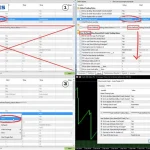
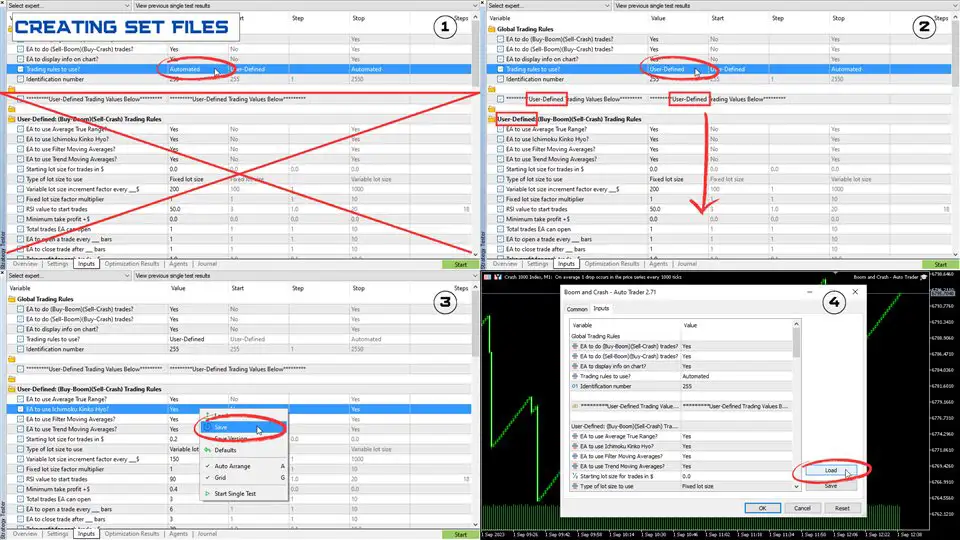
Changing the option labeled Trading Rules to Use from Automated to User-Defined enables the additional configuration settings.
This mode is intended for users who want to design, test, optimize, or experiment with different trading parameters.
What Can You Do in User-Defined Mode?
With User-Defined mode, traders can:
- Customize available trading settings.
- Design their own trading strategies.
- Test different combinations of parameters.
- Optimize configurations through the MT5 Strategy Tester.
- Experiment with short-term strategies.
- Develop medium-term trading approaches.
- Evaluate longer-term strategy configurations.
- Explore different settings for supported synthetic indices.
This flexibility makes User-Defined mode particularly relevant for traders who want to investigate how different configurations behave under historical market conditions.
However, optimization results should be evaluated carefully. A configuration that performs well on historical data may not produce similar results in future market conditions.
Identification Number: Run Multiple Strategies on the Same Index
The Identification Number setting is an important feature for traders who want to operate multiple strategies on the same synthetic index.
When using User-Defined mode, users can change the Identification Number to any value from 1 to 255.
The purpose is to help distinguish different strategies operating on the same index so that they do not interfere with one another.
How the Identification Number Works
For example, if a trader wants to run multiple user-defined strategies on Boom 1000, different Identification Numbers can be assigned to those strategies.
This allows the EA to distinguish between the configured strategies on the same market.
When trading different indices, the Identification Number can remain the same because the trading symbols are different.
The recommended approach is to use distinct identification values when running multiple strategies on the same index and maintain consistent settings when managing those strategies.
MT5 Strategy Tester: How to Test and Optimize the EA
Testing is an important part of evaluating any automated trading system, particularly when working with synthetic indices.
Boom and Crash Auto Trader MT5 allows users to experiment with different configurations through the MetaTrader 5 Strategy Tester.
Because synthetic indices are algorithm-based and their behavior may change, users are encouraged to test the EA and explore different settings rather than relying on a single historical configuration.
Recommended Strategy Tester Settings
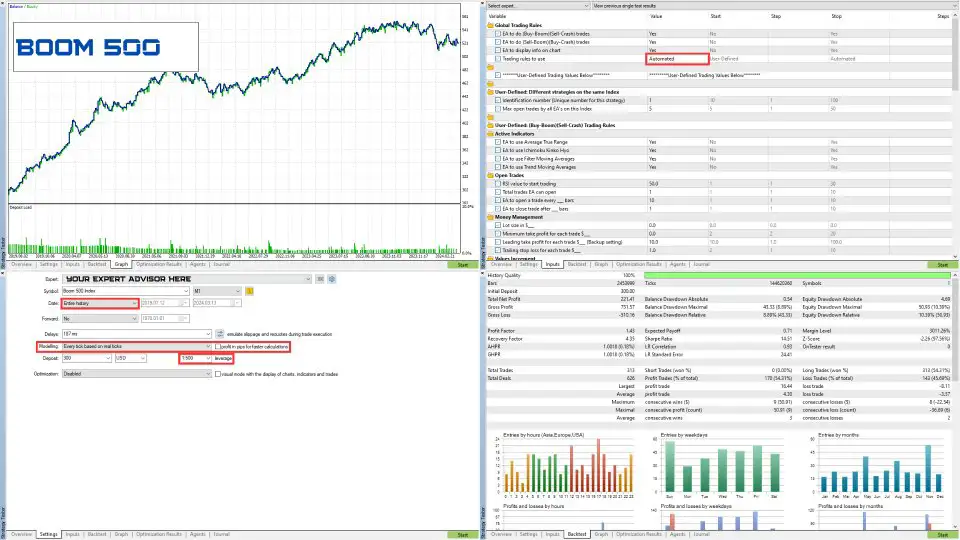
The supplied product guidance highlights several important testing considerations:
- Avoid Over-Optimization
When optimizing the EA, avoid selecting settings solely because they produce the highest historical profit.
Over-optimization can create configurations that fit historical data but perform poorly under different market conditions.
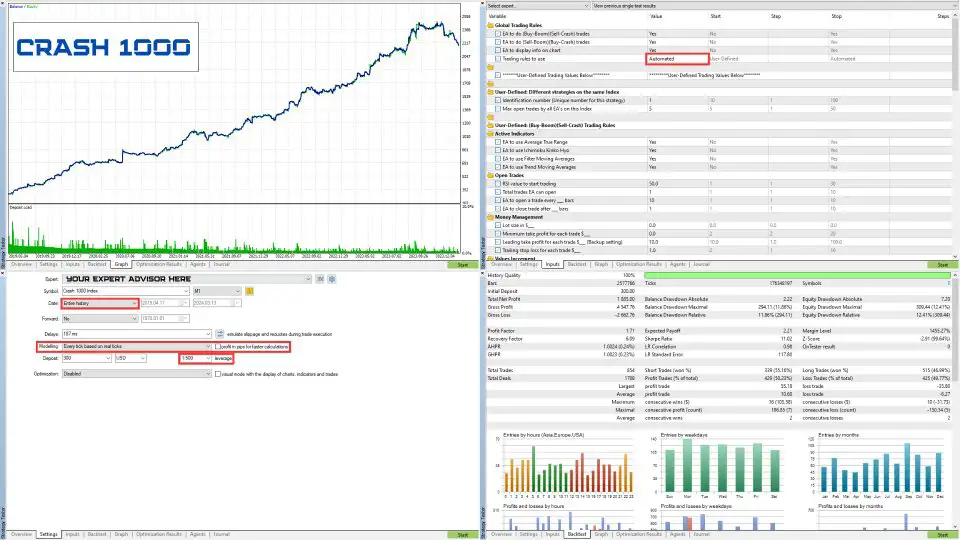
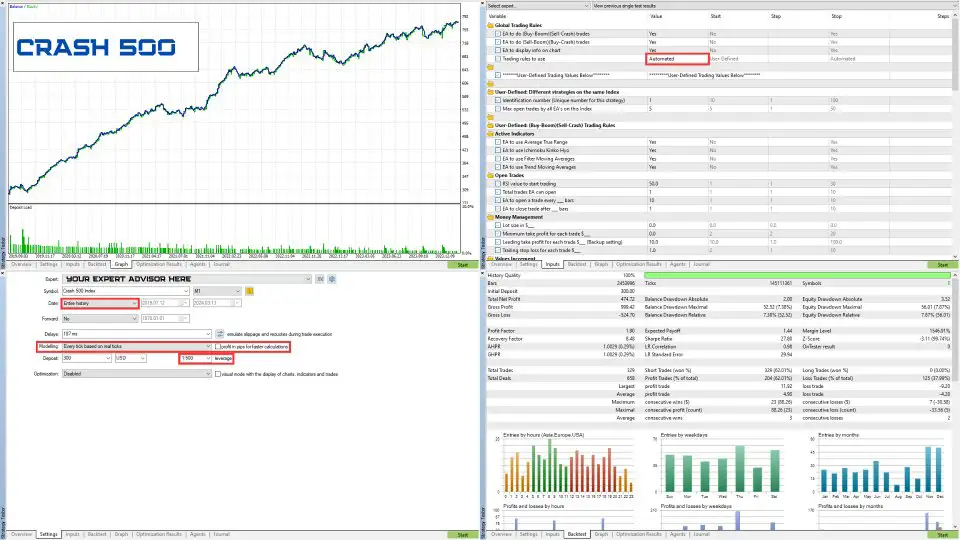
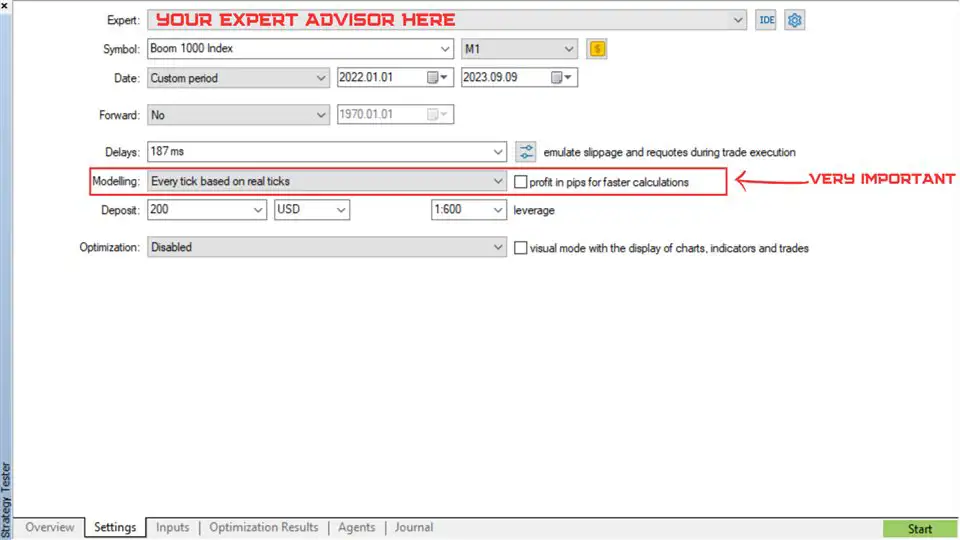
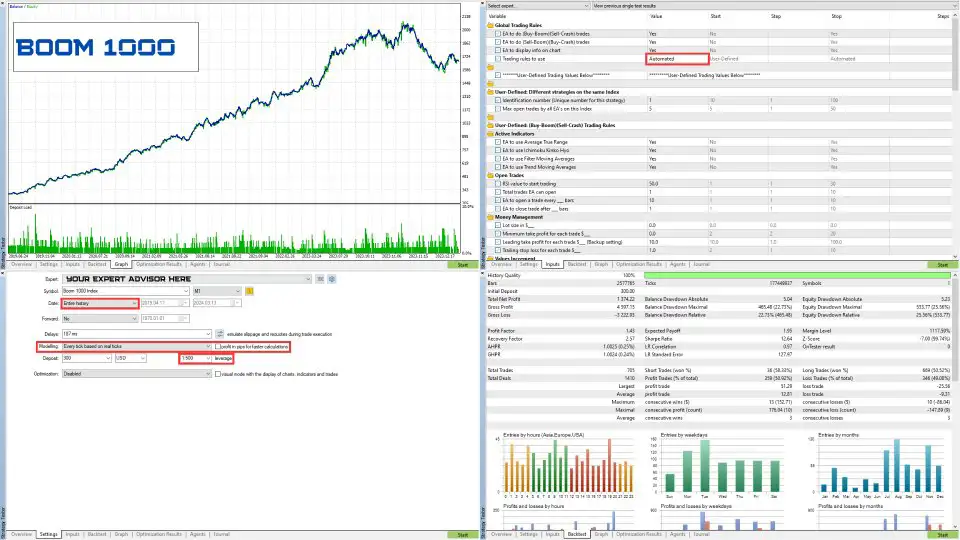
- Use Every Tick Based on Real Ticks
The recommended testing method is Every Tick Based on Real Ticks.
This setting is particularly important for evaluating trading behavior where price movement within individual candles may affect order execution.
- Disable Profit in Pips for Faster Calculation
The option labeled Profit in Pips for Faster Calculation should be disabled during the recommended testing process.
- Review the Backtesting Leverage
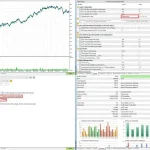
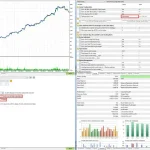
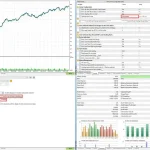
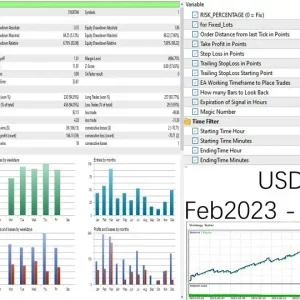
The leverage used during backtesting is shown in the supplied product pictures. Users should review the relevant information and understand the leverage assumptions applied to their tests.
Why Testing Matters for Synthetic Indices
Synthetic indices are algorithm-based markets, and their behavior can change over time.
A strategy that appears suitable under one historical data period may behave differently under another. Testing different periods and avoiding excessive optimization can help users develop a more realistic understanding of the EA’s behavior.
Backtesting is an evaluation tool, not a guarantee of future results.
Additional Benefits of Boom and Crash Auto Trader MT5
Beyond its two operating modes and multi-index functionality, the EA includes several design features intended to make automated trading more convenient.
Two Expert Advisors Combined in One Program
The software combines two Expert Advisors into one program designed to cover six synthetic indices.
This structure allows users to run multiple trading strategies simultaneously without needing a separate program for every strategy.
Simplified User Interface
The settings have been simplified to make the EA easier to understand and configure.
The interface is designed to help users access the available options without dealing with unnecessarily complicated inputs.
Independent Automated and User-Defined Strategies
The Automated and User-Defined strategies are designed not to interfere with each other.
This separation allows users to work with the simplified automated configuration while retaining the option to develop custom strategies.
Fully Customizable Settings
User-Defined mode provides access to customizable trading parameters.
This gives traders the freedom to evaluate different configurations and develop strategies suited to their own testing objectives.
No SET Files Required in Automated Mode
When the EA is set to Automated, users do not need to load SET files.
The system manages its trading parameters automatically according to the index on which it is running.
Independent Timeframe Operation
The timeframe used internally by the EA operates independently of the timeframe selected on the user’s chart.
This means changing the chart’s displayed timeframe does not necessarily change the EA’s internal timeframe.
Compatibility with Other Trading Programs
The EA can be used alongside other trading programs, provided those programs do not interfere with its trading activity.
Users should carefully check their configurations when running multiple Expert Advisors on the same account or trading symbol.
Important Explanation About Trading Against Price Spikes
One specific execution detail concerns trading against price spikes.
According to the supplied product information, when the EA trades against a price spike, its Stop Loss will only register at the end of the spike candle.
This behavior is important to understand when evaluating the EA’s risk and trade-management characteristics.
A Stop Loss does not guarantee that a position will close at the intended price. Actual execution can be affected by price movement, market conditions, and the broker’s execution process.
Users should consider this behavior when testing strategies that trade against sudden price movements.
Does Boom and Crash Auto Trader MT5 Use Martingale or Grid Trading?
No. According to the product specifications, Boom and Crash Auto Trader MT5 does not use a Martingale system or grid trading.
It also does not use an artificial intelligence system.
This is an important distinction for traders who prefer to avoid strategies based on progressively increasing lot sizes or grid-based position accumulation.
However, not using Martingale or grid trading does not eliminate trading risk. Any automated strategy can experience losses, and users should evaluate position sizing and account exposure before enabling the EA.
Recommended Approach Before Live Trading
Although the Automated setting offers a simplified starting configuration, testing and evaluation remain important.
Consider the following steps before using the EA on a live account:
- Choose the correct synthetic index: Confirm that the EA is attached to the intended Boom or Crash market.
- Select the appropriate operating mode: Use Automated for its predefined configuration or User-Defined to customize available parameters.
- Review index optimization: Remember that Automated mode is currently optimized for Boom 1000, Boom 500, Crash 1000, and Crash 500.
- Use the Strategy Tester: Evaluate the EA with Every Tick Based on Real Ticks.
- Avoid over-optimization: Do not rely exclusively on the best historical optimization result.
- Configure identification numbers: Use different values when running multiple User-Defined strategies on the same index.
- Review execution behavior: Understand how price spikes and Stop Loss execution may affect positions.
- Evaluate risk carefully: Consider position size, leverage, margin, and potential losses before live deployment.
These steps can help users understand the EA’s available settings and evaluate whether its trading behavior is appropriate for their requirements.
Frequently Asked Questions About Boom and Crash Auto Trader MT5
1. What Is Boom and Crash Auto Trader MT5?
Boom and Crash Auto Trader MT5 is an Expert Advisor for MetaTrader 5 designed to automate trading across six synthetic indices: Boom 1000, Boom 500, Boom 300, Crash 1000, Crash 500, and Crash 300.
2. Which Synthetic Indices Does the EA Support?
The EA is designed for Boom 1000, Boom 500, Boom 300, Crash 1000, Crash 500, and Crash 300.
3. Can the EA Trade Both BUY and SELL?
Yes. The product is designed to support both trading directions, allowing BUY and SELL strategies.
4. What Is the Difference Between Automated and User-Defined Mode?
Automated mode provides a simplified configuration in which the EA manages trading parameters automatically. User-Defined mode enables additional settings for designing, testing, and optimizing custom strategies.
5. Which Indices Are Optimized for Automated Mode?
According to the supplied specifications, Automated mode is currently optimized for Boom 1000, Boom 500, Crash 1000, and Crash 500.
Boom 300 and Crash 300 have not yet been optimized in this mode, but users can develop and test their own configurations.
6. Can I Run Multiple Strategies on the Same Index?
Yes. In User-Defined mode, the Identification Number can be set to a value from 1 to 255 to distinguish different strategies operating on the same index.
7. What Is the Purpose of the Identification Number?
It helps distinguish strategies running on the same index so that they do not interfere with one another.
8. Does the EA Use Martingale?
No. The product specifications state that the EA does not use Martingale lot progression.
9. Does the EA Use Grid Trading?
No. It does not use a grid trading system.
10. Is Boom and Crash Auto Trader MT5 an AI Trading Robot?
No. It is not an artificial intelligence system. It uses configurable trading rules and automated execution.
11. Do I Need to Load SET Files?
No. SET files are not required when the EA is operating in Automated mode.
12. Can I Use the EA with Other Expert Advisors?
Yes, according to the product specifications, it can be used alongside other trading programs as long as they do not interfere with its operation.
13. Does the EA Use the Chart’s Selected Timeframe?
The EA’s internal timeframe operates independently of the timeframe selected on the user’s chart.
14. Which Strategy Tester Method Is Recommended?
The supplied guidance recommends Every Tick Based on Real Ticks and advises disabling Profit in Pips for Faster Calculation.
15. Can I Optimize the EA for Boom 300 and Crash 300?
Yes. Although these indices have not yet been optimized in Automated mode, users can use the User-Defined settings and MT5 Strategy Tester to develop and evaluate their own configurations.
Final Verdict: Is Boom and Crash Auto Trader MT5 Worth Considering?
Boom and Crash Auto Trader MT5 is designed for traders who want a flexible automated trading solution for multiple synthetic indices through MetaTrader 5.
Its main attraction is the combination of two Expert Advisors in one program, with support for six Boom and Crash indices and the ability to operate multiple strategies simultaneously.
The two operating modes provide different levels of control. Automated mode offers a simplified starting configuration with automatically managed parameters, while User-Defined mode gives traders the flexibility to develop, test, and optimize their own trading approaches.
Additional features include separate strategy identification numbers, a simplified interface, independent timeframe operation, and compatibility with other trading programs when configured correctly.
The EA also avoids Martingale and grid trading and is not presented as an artificial intelligence system.
For traders interested in automated Boom and Crash trading, this Expert Advisor offers a combination of multi-index coverage and customizable strategy settings. However, its performance should be evaluated carefully, particularly because synthetic index behavior can change and Boom 300 and Crash 300 are not currently optimized in Automated mode.
Testing with appropriate MT5 Strategy Tester settings, avoiding over-optimization, and understanding the EA’s execution behavior are important steps before considering live deployment.
Boom and Crash Auto Trader MT5 — Six Synthetic Indices. Multiple Strategies. Automated and User-Defined Trading.
Risk Disclaimer
Trading synthetic indices and other leveraged products involves substantial financial risk and may result in the loss of some or all of your invested capital.
Boom and Crash Auto Trader MT5 does not guarantee profits. Past performance, historical testing, optimization results, and demonstrations do not guarantee or reliably predict future results.
Synthetic indices are algorithm-based markets, and their behavior may change. A strategy that performs well under historical conditions may produce different results in the future.
Automated execution does not eliminate trading risks. Stop Loss execution, price spikes, slippage, market conditions, and broker-related factors can affect actual trading outcomes. As described in the product specifications, when trading against price spikes, the Stop Loss will only register at the end of the spike candle.
Users are responsible for testing the EA, selecting appropriate settings, evaluating strategy performance, and managing their trading risk. Over-optimization can produce misleading historical results and should be avoided.
The EA is a software tool, not financial or investment advice. Always understand the risks associated with synthetic index trading and only trade with capital you can afford to lose.













Reviews
There are no reviews yet.