 English
 فارسی
فارسی



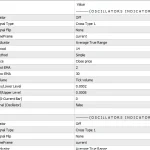
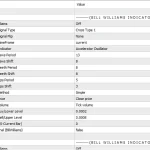
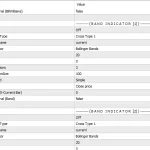
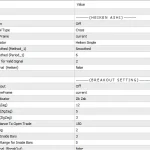
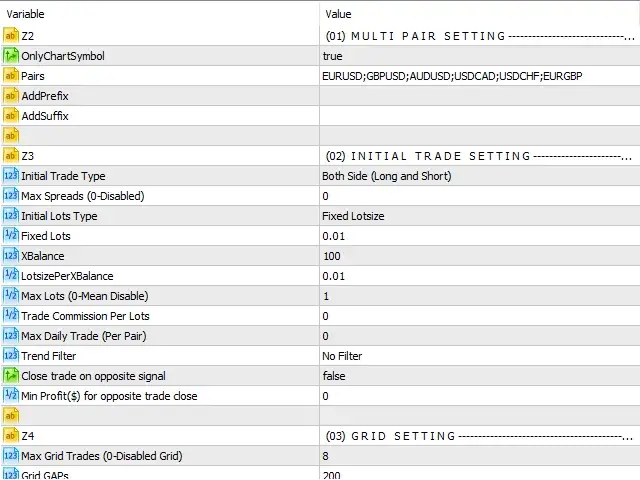
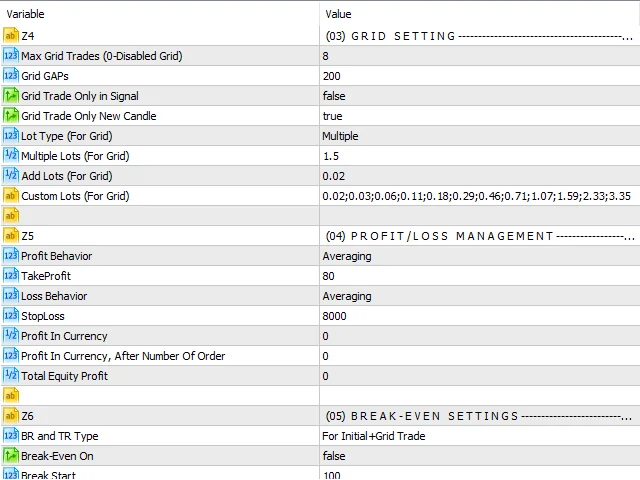
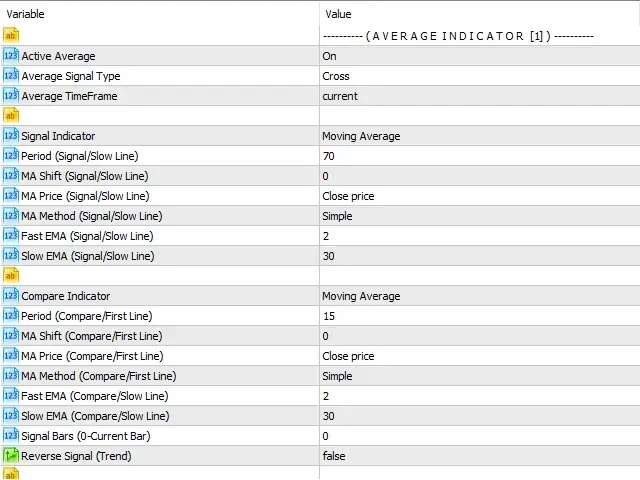
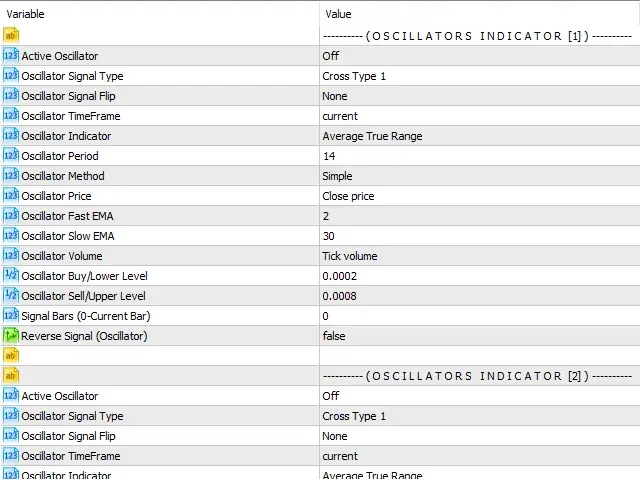
Strategy Builder EA MT4 – Advanced Automated Trading & Strategy Management Tool
Build, Test, Execute, and Manage Trading Strategies on MetaTrader 4
Strategy Builder EA MT4 is an advanced trading automation and strategy management tool. Built from more than a decade of experience in trading and Expert Advisor development, the EA is designed to give traders greater control over strategy creation, market analysis, trade execution, position management, and risk control.
More than a conventional Expert Advisor, Strategy Builder EA MT4 provides a flexible trading environment where beginners and experienced traders can build custom strategies, improve existing trading systems, scan multiple markets, automate trade execution, and manage open positions from a centralized interface.
Whether you want to develop a new trading strategy, automate an existing system, monitor multiple markets, or improve your trade-management process, Strategy Builder EA MT4 brings these functions together in one practical MT4 solution.
What Is Strategy Builder EA MT4?
Strategy Builder EA MT4 is a multifunctional Expert Advisor designed to help traders create and automate rule-based trading strategies directly within the MetaTrader 4 environment.
Instead of relying on a single predefined strategy, the EA provides a collection of configurable tools and inputs that can be combined to create different trading conditions and workflows.
The system can be used to:
- Build custom trading strategies
- Develop and refine existing strategies
- Combine multiple technical indicators
- Create entry and exit conditions
- Backtest and optimize trading ideas
- Scan markets for qualifying setups
- Automate trade execution
- Manage open and pending trades
- Monitor account positions through a centralized panel
- Control trading risk and position sizing
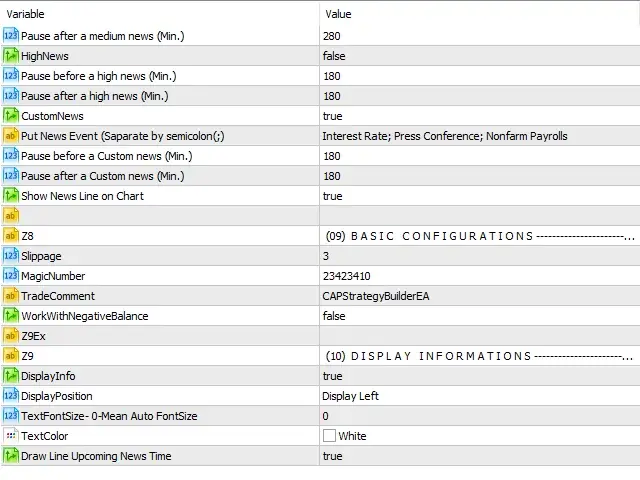
- Avoid trading during selected volatile market conditions
This makes Strategy Builder EA MT4 suitable for traders who want a more flexible approach to automated trading rather than relying exclusively on a fixed Expert Advisor strategy.
A Complete Trading Strategy Builder for MT4
One of the main strengths of Strategy Builder EA MT4 is its ability to bring multiple aspects of the trading process into one environment.
The EA can be configured to help traders move through several stages of the trading workflow:
Strategy Development → Market Scanning → Trade Execution → Position Management → Risk Management
This integrated approach can reduce the need to use multiple separate tools for different parts of a trading strategy.
The EA can operate on a single chart while providing access to its various strategy-building and trade-management functions.
Build Custom Trading Strategies
Developing a trading strategy often requires clearly defined rules for market conditions, entries, exits, and risk.
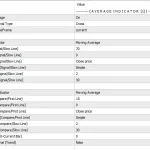
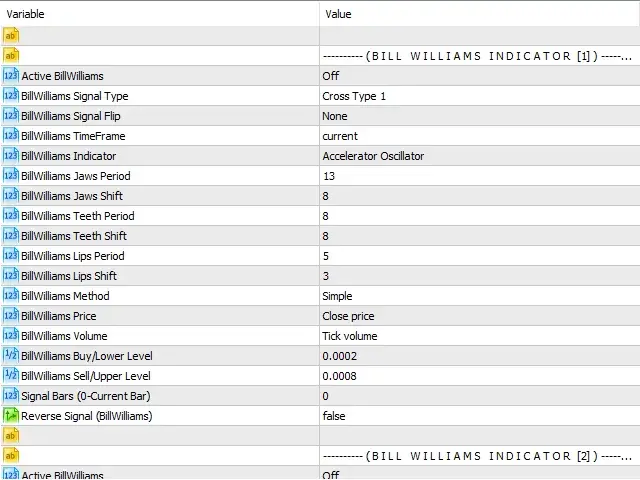
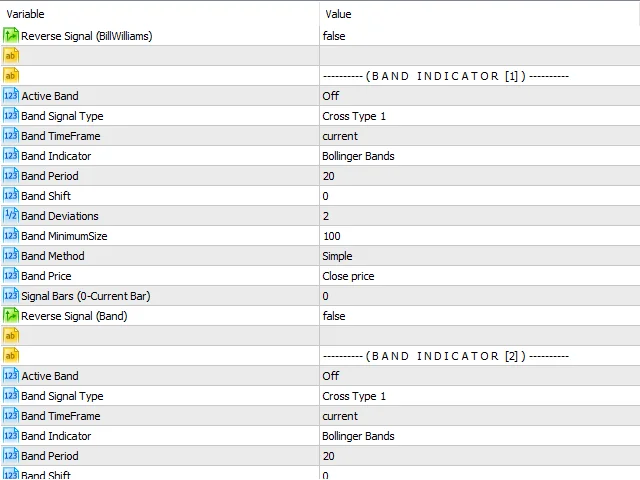
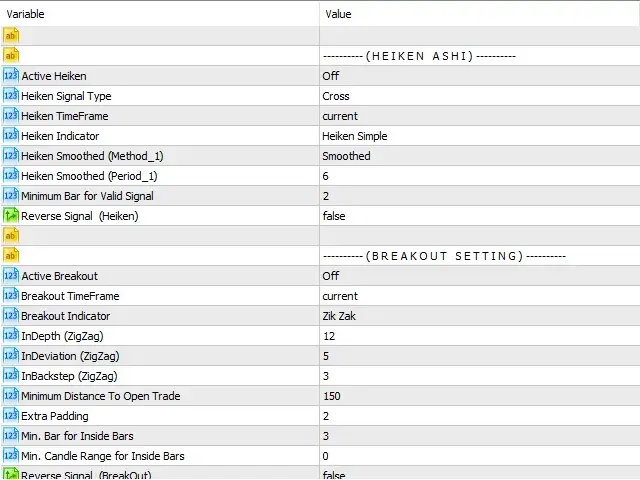
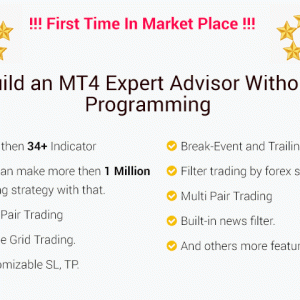
Strategy Builder EA MT4 includes more than 34 built-in indicators, allowing traders to combine different technical conditions when creating their strategies.
Depending on the selected configuration, traders can develop strategies using concepts such as:
- RSI
- Moving averages
- Market structure
- Trend conditions
- Technical indicators
- Entry confirmations
- Exit conditions
- Risk parameters
By combining different inputs, traders can create a variety of rule-based strategies instead of being limited to one predefined trading model.
Strategy Development Workflow
A typical workflow can include:
- Define the trading conditions.
- Select the required indicators.
- Create entry rules.
- Configure exit conditions.
- Set risk parameters.
- Backtest the strategy.
- Optimize the configuration.
- Deploy the strategy for automated trading.
This approach can help traders transform a trading idea into a more structured and testable automated strategy.
Develop and Improve Existing Strategies
Strategy Builder EA MT4 is not limited to creating completely new trading systems.
Traders can also use the tool to modify or enhance strategies they already use.
For example, an existing strategy based on moving averages could be expanded with additional confirmation conditions, risk controls, market filters, or automated exit rules.
This flexibility allows traders to experiment with different combinations of trading conditions and refine their approach according to their objectives.
Automated Entry and Exit Management
Managing trades manually can require continuous attention, particularly when multiple positions are active.
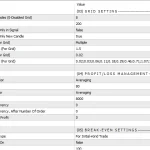
Strategy Builder EA MT4 can automate different aspects of trade management according to the configured rules.
Traders can create conditions for:
- Automated entries
- Stop-Loss management
- Take-Profit management
- Trailing stops
- Exit conditions
- Position monitoring
- Opposite-direction trade logic
- Automated trade management
This can help traders maintain predefined trading rules without having to remain in front of their charts throughout the entire trading session.
Advanced Market Scanner
Monitoring hundreds or thousands of financial instruments manually can be difficult.
Strategy Builder EA MT4 includes market-scanning capabilities designed to help traders identify instruments that meet their predefined conditions.
The scanner can be used to search across markets such as:
- Forex currency pairs
- Stocks
- Commodities
- Other supported trading instruments
Instead of checking every chart individually, traders can define their criteria and allow the EA to search for potential setups.
When market conditions match the configured strategy, the system can be configured to notify the trader or automatically execute trades according to the selected settings.
Automated Market Scanning
The market-scanning workflow can be summarized as:
Define Criteria → Scan Markets → Identify Setups → Execute or Manage Trades
This can be particularly useful for traders working with strategies that generate opportunities across multiple instruments.
Centralized Trade Management Panel
Keeping track of multiple trades can become complicated when positions are distributed across different instruments or strategies.
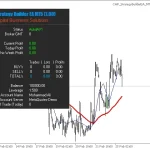
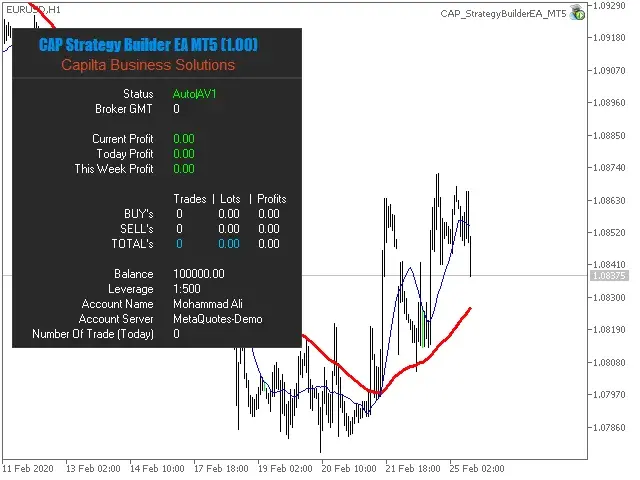
Strategy Builder EA MT4 provides a centralized graphical user interface designed to make account monitoring easier.
From the panel, traders can monitor important information related to their open positions and account activity.
The interface can help traders review:
- Open positions
- Order status
- Profit and loss
- Account exposure
- Trading activity
- Position information
- Overall account performance
Having this information available through one interface can provide a clearer overview of the trading account.
Automated Risk Management
Risk management is an important part of systematic trading.
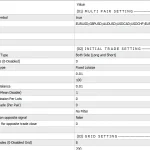
Strategy Builder EA MT4 can assist with position sizing by calculating trade volume based on account-related parameters and the trader’s selected risk level.
Instead of manually determining the appropriate lot size for every position, traders can configure risk-related settings so that position sizing can be handled according to predefined rules.
Risk Management Features
- Account-balance-based position sizing
- Configurable risk per trade
- Automated lot calculation
- Position-size management
- Exposure control
- Support for multiple trade scenarios
This can be particularly useful when executing multiple trades at different times, as the appropriate position size may change as the account balance, equity, or existing exposure changes.
Manage Multiple Trades More Efficiently
When several trades are active, traders may need to continuously evaluate questions such as:
- How many positions are currently open?
- Which trades are profitable?
- What is the current drawdown?
- How much exposure remains?
- What position size should be used for the next trade?
Strategy Builder EA MT4 is designed to automate parts of this process according to the trader’s predefined configuration.
By combining trade management with risk controls, the EA can help create a more consistent workflow for managing multiple positions.
Avoid Trading During Volatile Market Conditions
Market volatility can significantly affect automated trading strategies.
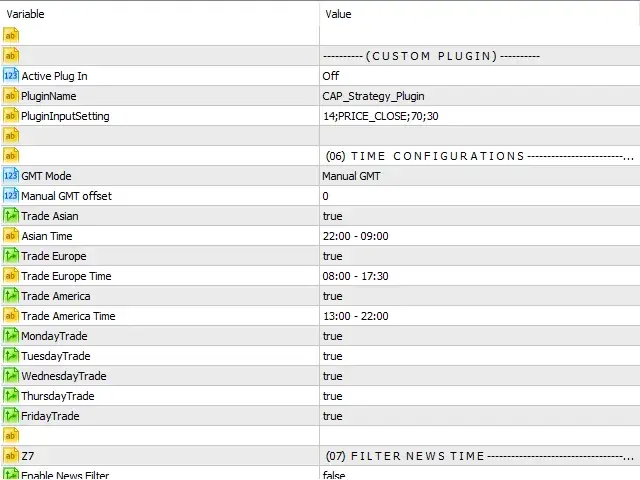
Strategy Builder EA MT4 includes functionality that can be configured to avoid trading during selected periods or conditions where volatility may not match the trader’s strategy.
This can help traders introduce additional market filters into their automated systems.
Depending on the configuration, traders can create rules designed to determine when the EA should trade and when it should remain inactive.
Backtesting and Strategy Optimization
Before deploying an automated trading strategy on a live account, testing is an important step.
Strategy Builder EA MT4 can be used to develop, backtest, and optimize strategy configurations.
Backtesting allows traders to evaluate how a set of trading rules would have performed against historical market data, while optimization can help compare different parameter combinations.
However, historical testing should always be interpreted carefully because backtest performance does not guarantee future live-market results.
Who Is Strategy Builder EA MT4 For?
Strategy Builder EA MT4 is designed for a wide range of traders, from beginners exploring automated trading to experienced traders developing more advanced strategies.
It may be particularly useful for traders who:
- Want to build their own automated strategies
- Already have a manual trading strategy
- Want to automate trade management
- Need to scan multiple markets
- Prefer rule-based trading
- Want centralized order monitoring
- Are interested in automated risk management
- Want to test and optimize trading ideas
- Prefer a flexible EA instead of a fixed strategy
Because the tool offers extensive configuration options, traders should understand the settings they use and test their strategies carefully before applying them to live funds.
Key Features of Strategy Builder EA MT4
- Advanced strategy-building functionality
- More than 34 built-in indicators
- Custom entry and exit conditions
- Strategy development and refinement
- Backtesting capabilities
- Strategy optimization
- Automated trade execution
- Automated trade management
- Market scanning functionality
- Forex, stocks, and commodity scanning
- Centralized trading dashboard
- Position monitoring
- Automated risk management
- Account-balance-based position sizing
- Configurable risk per trade
- Trailing-stop functionality
- Volatility filters
- Designed for beginners and experienced traders
- MetaTrader 4 Expert Advisor environment
Strategy Builder EA MT4 Product Overview
- Product Name: Strategy Builder EA MT4
- Platform: MetaTrader 4
- Product Type: Strategy Builder & Trading Management EA
- Built-in Indicators: 34+
- Strategy Creation: Supported
- Strategy Development: Supported
- Backtesting: Supported
- Optimization: Supported
- Market Scanner: Supported
- Automated Execution: Supported
- Trade Management: Supported
- Risk Management: Supported
- Market Coverage: Forex, Stocks, Commodities, and Supported Instruments
Why Choose Strategy Builder EA MT4?
The main advantage of Strategy Builder EA MT4 is its versatility.
Rather than functioning only as an automated trading robot with one predefined strategy, it provides a framework for creating, testing, executing, and managing different rule-based trading systems.
Its combination of strategy development, market scanning, automated execution, trade management, and risk control makes it a comprehensive tool for traders who want greater flexibility within MetaTrader 4.
The built-in indicators and configurable conditions allow traders to experiment with different approaches, while the centralized dashboard provides a convenient way to monitor trading activity.
For traders interested in building their own automated trading strategies instead of simply purchasing a fixed strategy EA, Strategy Builder EA MT4 offers a practical starting point.
Automate Your Trading Strategy with Strategy Builder EA MT4
Strategy Builder EA MT4 is designed to bring strategy creation and automated trade management together in one MetaTrader 4 Expert Advisor.
From building strategies with more than 34 built-in indicators to scanning multiple markets, executing trades, managing positions, and controlling risk, the EA provides a broad set of tools for systematic trading.
Whether you are developing a new trading concept or looking to automate an existing strategy, Strategy Builder EA MT4 can help transform predefined trading rules into an automated workflow.
Strategy Builder EA MT4 — Build, Test, Scan, Execute, and Manage Your Trading Strategies on MetaTrader 4.
Risk Disclaimer
Strategy Builder EA MT4 is an automated trading and strategy-development tool for MetaTrader 4. Trading Forex, stocks, commodities, CFDs, and other financial instruments involves substantial risk and may result in significant financial losses.
Automated trading does not guarantee profitability. Actual results can vary depending on market conditions, broker execution, spreads, commissions, slippage, leverage, liquidity, account configuration, strategy parameters, and other technical or market-related factors.
Backtests and optimization results are based on historical data and should not be considered a guarantee of future performance. Optimized parameters may perform differently in live market conditions.
Risk-management features can help structure trading exposure but cannot eliminate the possibility of loss. Traders should carefully understand all EA settings, test strategies in a demo environment, use responsible position sizing, and trade only with capital they can afford to lose.















Reviews
There are no reviews yet.