 English
 فارسی
فارسی



SomaForex MT5: 34 Independent Breakout Strategies in One Automated Forex Portfolio
SomaForex MT5 is a multi-strategy Forex Expert Advisor designed for MetaTrader 5, combining 34 independently configured breakout strategies within a single automated trading system. Developed for EURUSD, GBPUSD, and USDJPY, it allows traders to manage a diversified collection of trading strategies from one chart without manually operating multiple charts or separate EAs.
Rather than relying on one breakout setup, SomaForex MT5 combines strategies using different timeframes, swing-detection parameters, and breakout widths. The portfolio also includes configurable position sizing, margin protection, economic news filters, spread controls, time-based trading restrictions, and an optional prop firm compliance layer.
For traders interested in systematic Forex trading, this approach provides a centralized way to operate multiple strategies while monitoring their activity through an integrated on-chart dashboard. However, diversification does not eliminate risk, and the EA’s performance depends on market conditions, execution quality, account settings, and risk management.
What Is SomaForex MT5?
SomaForex MT5 is an automated breakout trading EA that runs 34 independent strategies through one MetaTrader 5 chart. Each strategy has its own identifier, timeframe, trading parameters, exit rules, news-filter settings, and lot-sizing step.
The portfolio contains:
- 8 EURUSD strategies
- 11 GBPUSD strategies
- 15 USDJPY strategies
All 34 strategies share the same execution engine but manage their trading activity independently. This structure is intended to spread strategy exposure across multiple currency pairs, timeframes, and breakout configurations.
The EA can be attached to an EURUSD chart, while its internal logic manages the configured symbols. This reduces chart clutter and makes portfolio-level monitoring more convenient.
Key Features of SomaForex MT5
1. A Portfolio of 34 Independent Breakout Strategies
The main feature of SomaForex MT5 is its collection of 34 preconfigured breakout strategies. Each strategy uses its own set of parameters to identify and manage potential trading opportunities.
The portfolio includes strategies based on five swing-detection timeframes:
- Daily (D1)
- 12-hour (H12)
- 8-hour (H8)
- 4-hour (H4)
- 1-hour (H1)
Different timeframes can respond differently to price movements. Longer timeframes may capture broader market structures, while shorter ones can identify smaller price swings.
The final portfolio contains 14 D1 strategies, 9 H12 strategies, 7 H8 strategies, 2 H4 strategies, and 2 H1 strategies.
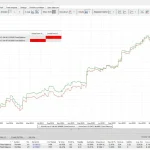
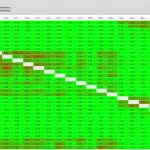
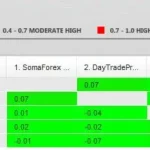
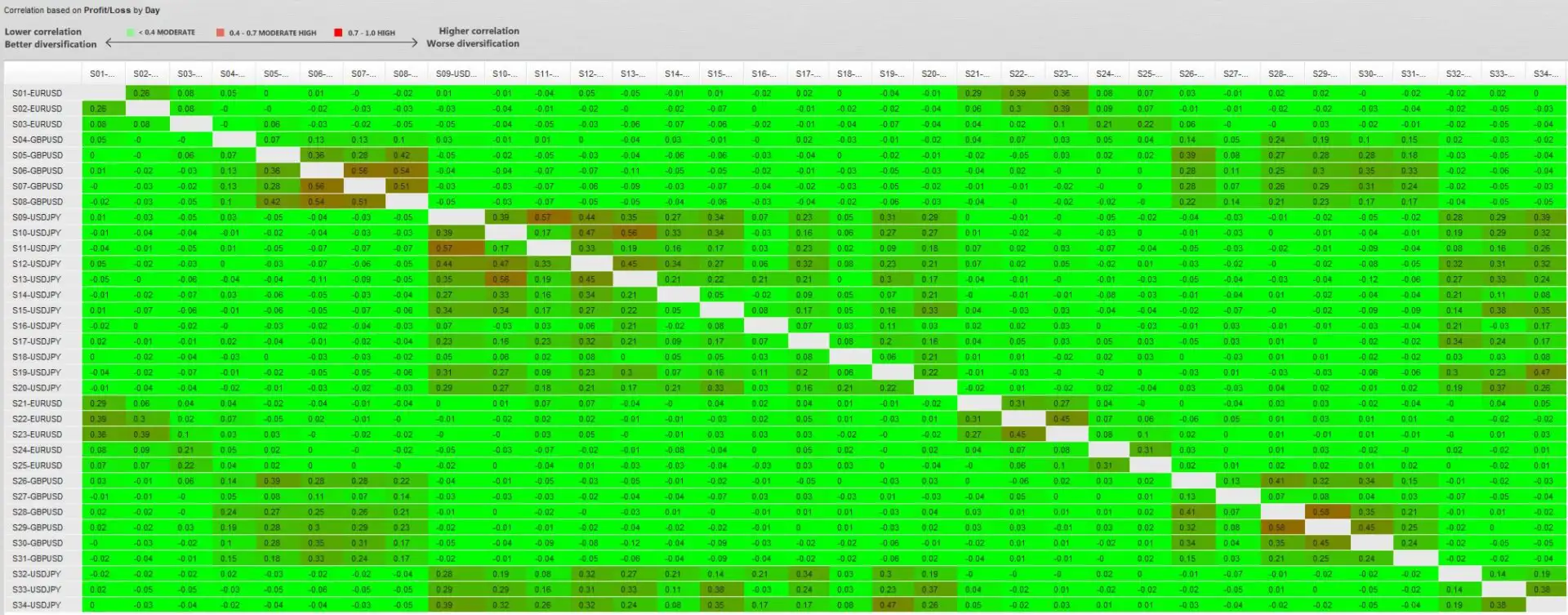
These strategies operate together as a portfolio, although their individual performance and correlation should still be evaluated through testing.
2. Three Breakout-Breadth Configurations
SomaForex MT5 uses three breakout-breadth variations to diversify its strategy configurations.
V1 Broad: Uses wider swing definitions to identify less frequent, potentially broader breakout setups.
V2 Medium: Provides a middle-ground configuration intended to balance setup frequency and breakout breadth.
V3 Narrow: Uses tighter swing definitions to identify more frequent breakout opportunities.
These variations allow the portfolio to evaluate different price structures instead of depending on a single breakout width.
The presence of multiple configurations does not guarantee that the strategies will behave independently in every market condition. Several strategies may still experience losses during the same period.
3. Cross-Validated Strategy Optimization
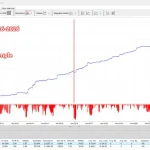
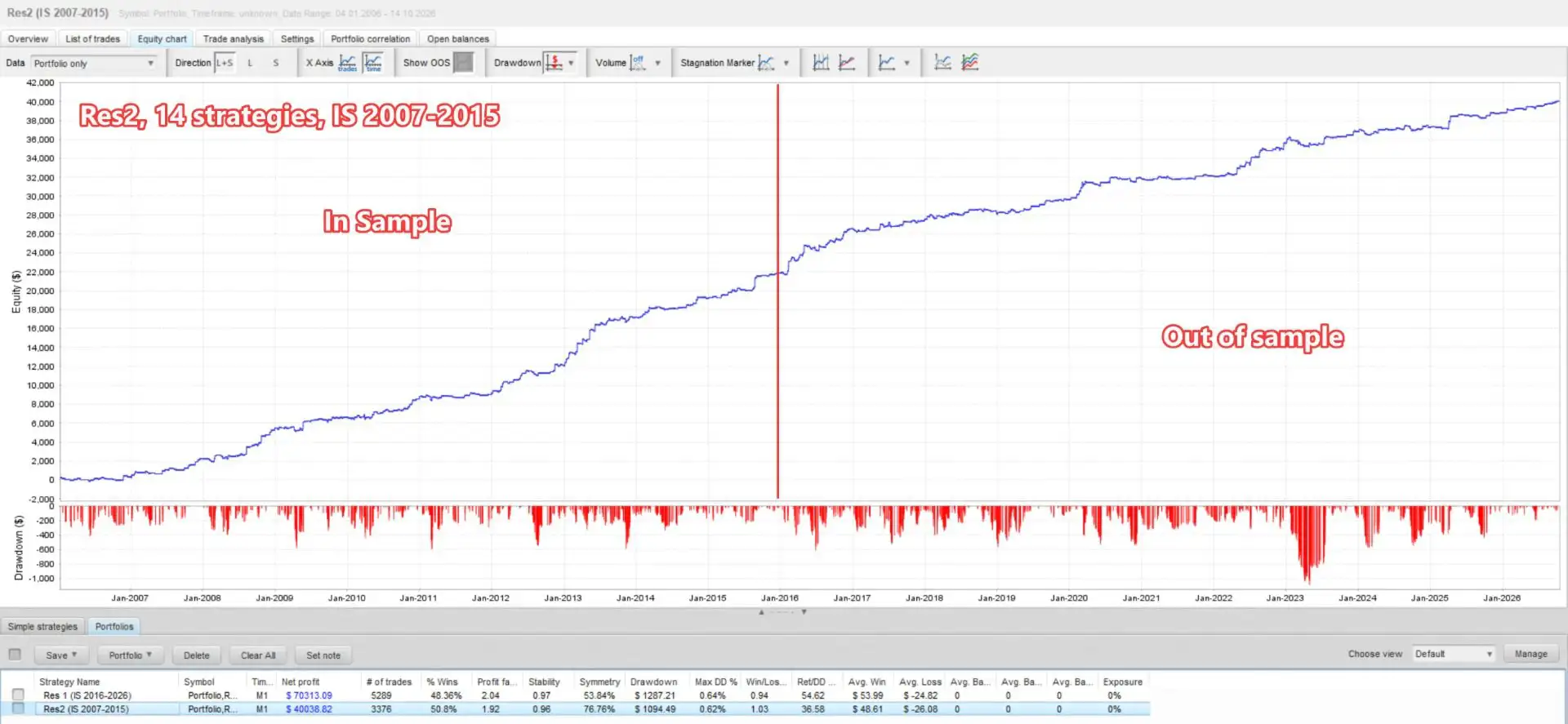
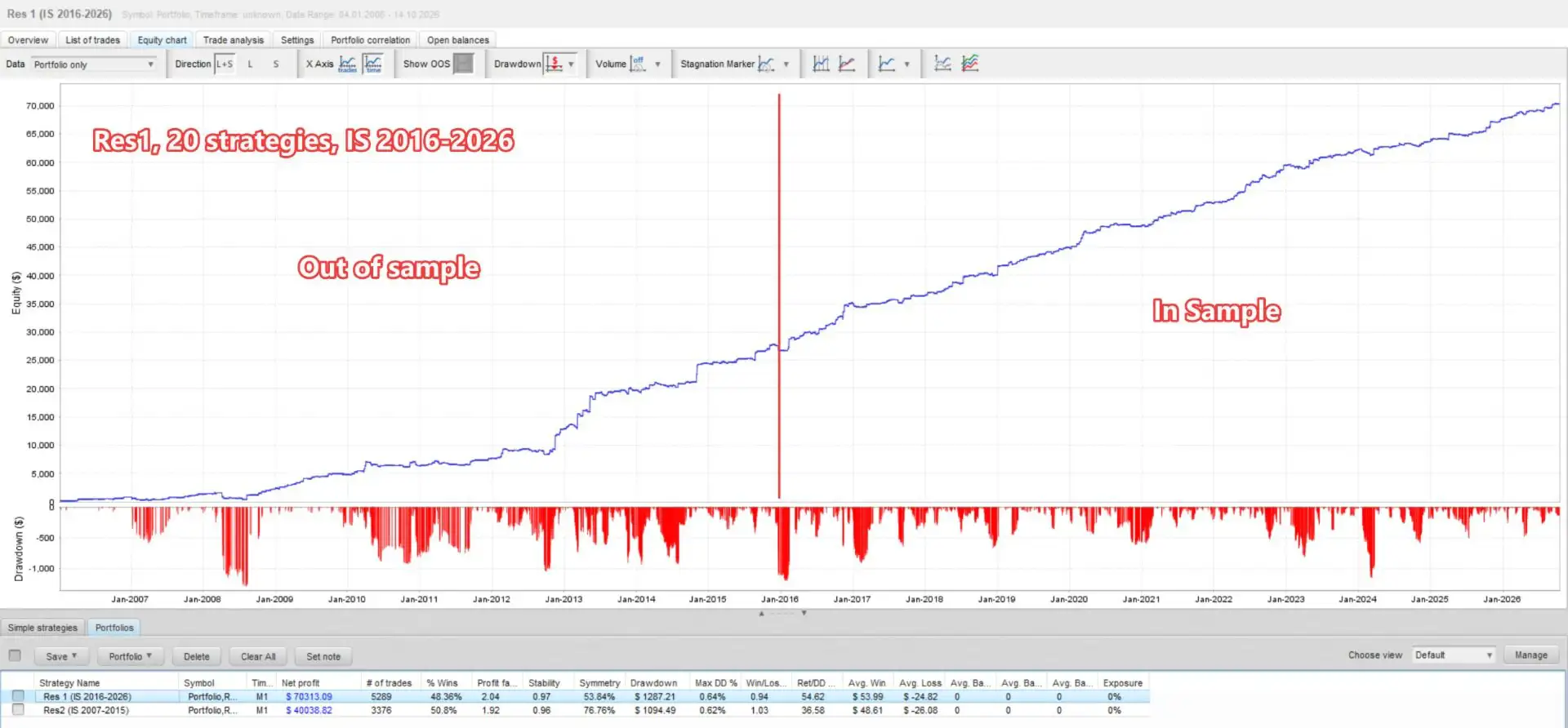
The 34-strategy portfolio was selected using two complementary historical optimization ranges.
– Res1
- In-sample period: 2016–2026
- Out-of-sample period: 2007–2015
– Res2
- In-sample period: 2007–2015
- Out-of-sample period: 2016–2026
The optimization process evaluated combinations of currency pairs, timeframes, breakout breadth, and optimization targets. The targets included return relative to balance drawdown and return relative to equity drawdown.
Strategies that did not meet the selection criteria were excluded from the final portfolio. The resulting collection contains 20 strategies from Res1 and 14 from Res2.
The use of complementary in-sample and out-of-sample periods is intended to assess how strategies perform outside their primary optimization window. Nevertheless, historical cross-validation cannot eliminate overfitting or guarantee future results. The supplied testing periods and methodology should be independently reviewed before relying on them for investment decisions.
Friday trading closure was enabled during optimization and remains on by default. This helps avoid selecting strategies based on exposure to weekend price gaps.
4. Independent Strategy Identification with Unique Magic Numbers
Each strategy uses a unique nine-digit magic number to distinguish its orders and positions from those belonging to other strategies, EAs, or manual trades.
The digits encode information about the strategy, including:
- EA family
- Currency pair
- Optimization range
- Swing timeframe
- Breakout-breadth configuration
- Optimization target
- Strategy number
For example, the magic number 621082108 identifies SomaForex strategy #8 and encodes its associated pair, optimization range, timeframe, breakout breadth, and optimization target.
This system makes it easier to identify the strategy responsible for a trade directly in the MetaTrader 5 terminal or account history without repeatedly opening the EA settings.
5. Flexible Lot Sizing and Portfolio Risk Controls
SomaForex MT5 offers two primary position-sizing modes to accommodate different account-management preferences.
Manual lot sizing
Traders can use fixed trade volumes based on the following inputs:
- StartLotsEURUSD
- StartLotsGBPUSD
- StartLotsUSDJPY
The default starting volume is 0.01 lots for each pair, after which each strategy applies its own lot-sizing step.
Lot per balance step
This is the default mode. It automatically adjusts position sizing according to account capital and each strategy’s configured lot step.
Additional risk-management parameters include:
- Global risk multiplier: Adjusts the calculated position size across the portfolio.
- Maximum lot cap: The MaxLots parameter can impose an EA-level maximum when set above zero. A value of zero means no EA-imposed maximum, although broker limits still apply.
- Minimum-lot placement filter: MinLotPlacePercent can prevent pending orders from being placed when their calculated volume is too small relative to the broker’s minimum lot size.
- Balance or equity sizing: Choose which account value is used as the sizing reference.
- OnlyUp mode: Allows the sizing baseline to increase with peak capital rather than decrease during trading drawdowns, with deposits and withdrawals affecting the baseline as configured.
OnlyUp mode also uses recent closed-trade history to initialize its historical peak, subject to the configured lookback. This is intended to avoid resetting the sizing baseline every time the EA restarts.
Position-sizing behavior should be tested carefully, especially when changing accounts, making withdrawals, or adjusting the global risk multiplier.
6. Margin Call Protection
SomaForex MT5 includes margin call protection, enabled by default, to help control order placement when free margin is limited.
Before placing orders, the EA checks available free margin, including relevant pending orders already in the market. If necessary, it can scale down the portfolio’s calculated position sizes using a shared factor.
Using a shared factor helps preserve the relative lot-sizing relationships between strategies. The dashboard displays the margin-protection scale when it falls below 1.
The MCP Risk Multiplier parameter adjusts the margin-protection budget:
- A value of 1.0 uses the default margin-protection budget.
- Values below 1.0 apply a more conservative budget.
- Values above 1.0 relax the protection limit, subject to the available margin and calculated position sizes.
This feature does not create additional free margin or remove the risks associated with leverage. Disabling it should only be considered by users who fully understand their account’s margin requirements and exposure.
7. Built-In US Economic News Filter
Economic announcements can cause sharp price movements, wider spreads, and unstable execution conditions. SomaForex MT5 includes a built-in US economic news calendar covering three major event categories:
- NFP: Non-Farm Payrolls
- CPI: Consumer Price Index
- IR/FOMC: Interest-rate decisions and Federal Open Market Committee events
The news filters are enabled by default. Depending on the strategy’s settings, the EA can independently:
- Block new trade entries around selected events.
- Cancel existing pending orders.
- Close open positions.
Each strategy has its own configurable time windows before and after news events. This allows news protection to differ between strategies rather than applying identical restrictions across the entire portfolio.
The EA also supports manual broker GMT offsets or automatic GMT detection to align event windows with broker time, including daylight-saving changes.
Its event classifier is designed to exclude common false positives, such as ADP Nonfarm Employment reports and FOMC speeches or minutes that should not be classified as the targeted rate-decision event.
News filtering can help manage exposure around scheduled announcements, but it cannot eliminate all event risk or protect against unexpected news.
8. Monday-Open and Friday-Close Trading Window
SomaForex MT5 includes a trading window that is enabled by default.
The default schedule is:
- Monday opening: 01:10 broker time
- Friday closing: 22:50 broker time
Outside this window, the EA can remove pending orders and open positions according to the configured controls.
Users can disable the trading window or adjust whether pending orders and open positions should be removed outside the permitted period.
The default schedule assumes a broker time zone of GMT+2 during winter and GMT+3 during summer. If the broker uses a different schedule, adjust the relevant opening and closing times to preserve the intended UTC timing. Configure the GMT settings appropriately or leave automatic GMT detection enabled.
The EA’s default Friday-close setting also matches the setting used during optimization, helping maintain consistency between the intended testing conditions and the default operating configuration.
9. Spread Protection for Pending Orders
Spreads can materially affect breakout strategies, particularly when orders are placed during volatile or low-liquidity periods.
SomaForex MT5 includes configurable maximum spread thresholds for each supported pair.
- MaxSpreadPips_EURUSD: 2.0 pips
- MaxSpreadPips_GBPUSD: 2.8 pips
- MaxSpreadPips_USDJPY: 1.7 pips
If the spread on a pair remains above its configured limit for the specified period, the EA can remove that pair’s pending orders.
The RemovePendingSpreadSeconds parameter controls how long the spread must remain excessive before removal. Its default value is 60 seconds. Setting it to zero disables the waiting timer, while setting a pair’s maximum spread to zero disables the spread cap for that pair.
The filter applies to pending orders. Once a trade is open, the EA’s normal exit mechanisms, including stop-loss, take-profit, trailing stops, and break-even management, continue according to their settings.
10. Optional Prop Firm Compliance Features
SomaForex MT5 includes optional controls intended for traders who want to configure their trading activity around certain proprietary trading firm requirements.
The compliance layer is disabled by default and can be enabled through EnablePropFirmCompliance.
Available features include:
- Maximum daily drawdown lockout.
- A no-hedge rule.
- Configurable pending-order caps for individual currency pairs.
The pending-order cap parameters are:
- PF_MaxPendingOrders_EURUSD
- PF_MaxPendingOrders_GBPUSD
- PF_MaxPendingOrders_USDJPY
Their defaults are 0, 0, and 21 respectively. A value of zero leaves the relevant pair without an EA-imposed pending-order cap, while a positive value establishes a limit.
The EA also offers optional randomized pip offsets for entries and exits through separate parameters for EURUSD, GBPUSD, and USDJPY. These offsets can introduce small differences in execution levels between accounts using the same EA. They are independent of the compliance master switch.
Randomization does not guarantee compliance with a proprietary firm’s rules. Traders should confirm that automated trading, order randomization, hedging restrictions, and drawdown controls are permitted by their specific provider. The EA’s optional compliance functions should not be interpreted as certification or a guarantee of passing an evaluation.
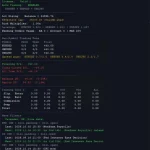
11. Real-Time On-Chart Trading Dashboard
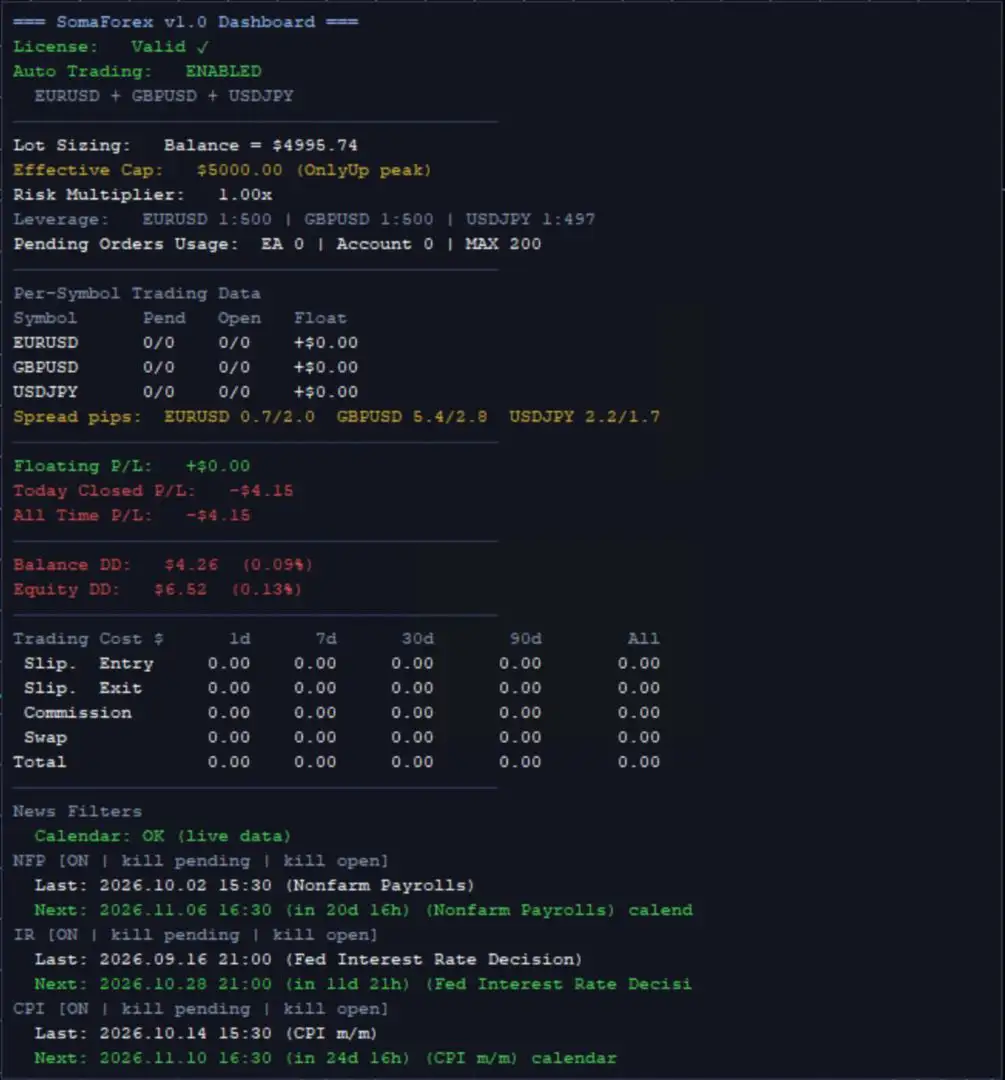
SomaForex MT5 includes a dashboard designed to provide a consolidated overview of trading activity and account conditions.
Depending on the selected settings, the dashboard displays:
- License and automated-trading status.
- Lot-sizing method, effective capital, and risk multiplier.
- Margin-protection scaling.
- Pending orders and open positions by symbol.
- Floating profit and loss.
- Today’s closed profit and loss.
- Total historical closed profit and loss.
- Balance and equity drawdown in monetary and percentage terms.
- Trading costs, including slippage, swaps, and commissions, over 1-day, 7-day, 30-day, 90-day, and all-time periods.
- Current spreads compared with configured limits.
- Upcoming and previous NFP, CPI, and interest-rate decision events.
The dashboard can be disabled during Strategy Tester runs or on live and demo charts using the corresponding dashboard settings.
This consolidated display helps users review portfolio activity without having to inspect every strategy separately.
SomaForex MT5 Configuration and Customization
The EA offers additional parameters for tailoring its operation to different accounts and broker environments.
Portfolio Strategy Selection
StrategyRunMode determines whether all enabled strategies run or only one selected strategy is active.
SingleStrategyNumber specifies the strategy to run when single-strategy mode is selected.
StrategiesToRun accepts a comma-separated list of strategy numbers from 1 to 34. These numbers correspond to the strategy identifiers shown in trade comments.
Disabling a strategy stops it from placing and managing its trades. Before changing the enabled-strategy list, review and appropriately handle any open positions associated with strategies that will be disabled.
Broker Symbol Compatibility
The SymbolSelection parameter determines how the EA identifies its trading symbols.
- Auto: Attempts to resolve broker-specific symbol names from the chart symbol.
- Manual: Uses the configured ticker inputs.
The relevant ticker parameters are TickerEURUSD, TickerGBPUSD, and TickerUSDJPY.
Custom ticker values can override automatic detection for an individual pair, while a blank ticker disables the corresponding pair’s strategies.
This flexibility is useful for brokers that append suffixes or prefixes to standard currency-pair names. Always confirm the detected symbols before enabling live trading.
Magic Number and Trade Comment Overrides
Users can optionally override the EA’s default trade identifiers and comments.
- EnableMagicOverride activates custom magic-number generation based on OverrideMagicBase and the strategy index.
- EnableCommentOverride allows all trades to use a shared comment specified by OverrideComment.
Both overrides are disabled by default, preserving each strategy’s built-in identifiers and comments.
Trade Direction Controls
The EA provides separate switches for long and short trading:
- AllowBuyTrades controls buy orders and buy-side pending orders.
- AllowSellTrades controls sell orders and sell-side pending orders.
These settings allow traders to restrict trading direction when required by their testing plan or account configuration.
GMT and Exit Execution Options
Broker-time alignment can be controlled through AutoGMT or the manual summer and winter GMT-offset parameters.
The UseInternalTrailingExitLevels setting determines how break-even, trailing-stop, and trailing-take-profit levels are handled. When enabled, these exit levels are managed internally by the EA and positions are closed at market when the applicable conditions are reached. The original hard stop-loss and take-profit remain on the broker.
When this option is disabled, which is the default, those exit mechanisms continue to modify the broker-side stop levels according to the EA’s implementation.
Understanding these settings is important when evaluating how positions are protected during connection interruptions or rapid market movements.
Recommended Setup for SomaForex MT5
For a practical starting configuration, consider the following guidelines.
- Trading platform: MetaTrader 5
- Chart: EURUSD or another supported chart
- Timeframe: Any; the EA reads strategy timeframes internally
- Trading symbols: EURUSD, GBPUSD, USDJPY
- Account type: ECN or RAW-spread account for potentially tighter spreads
- Position sizing: Start with conservative settings
- Margin protection: Enabled by default
- News filter: Enabled by default
- Friday-close window: Enabled by default
- VPS: Recommended for stable operation
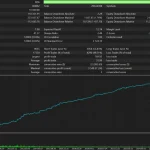
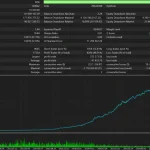
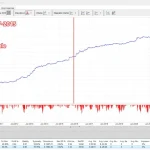
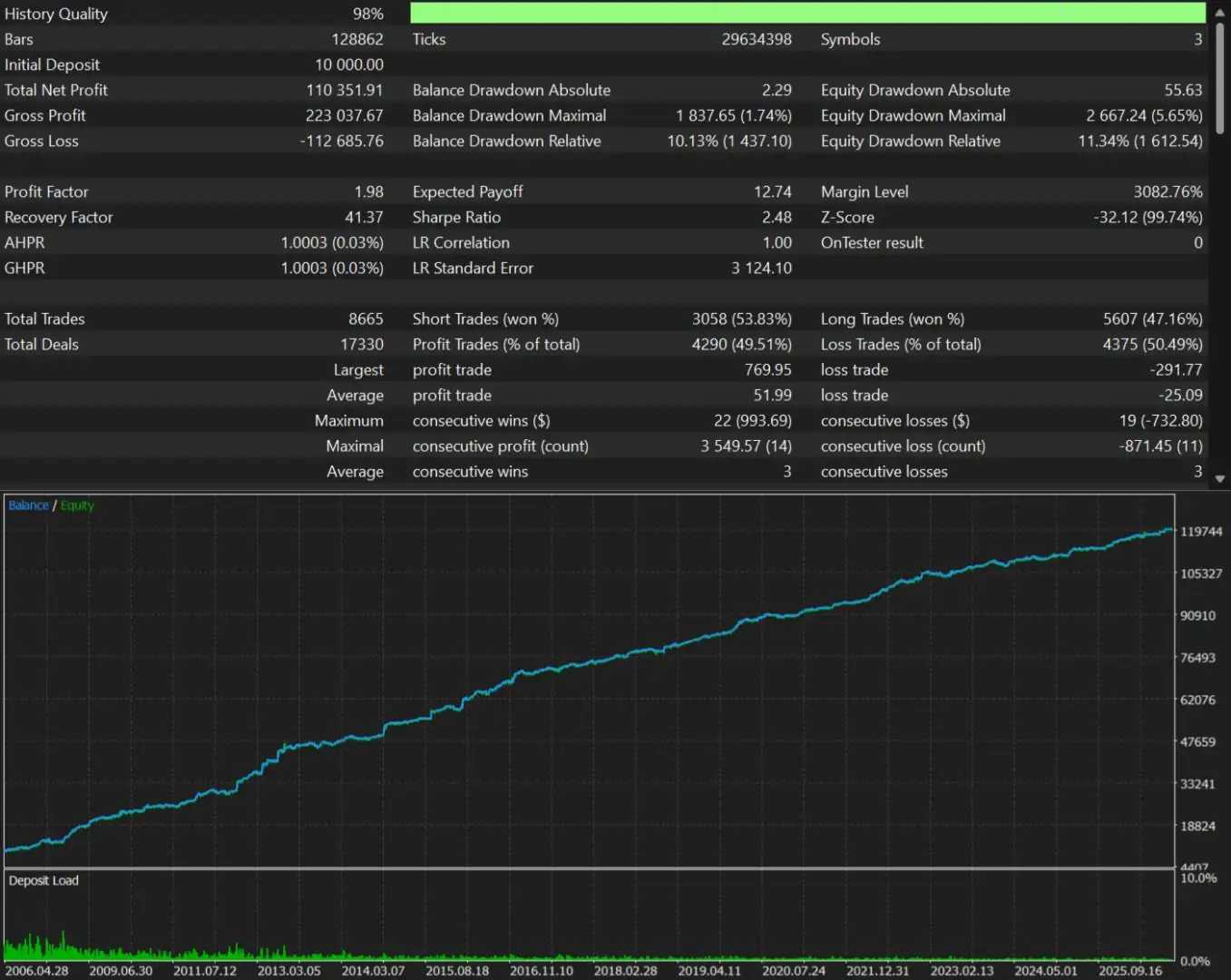
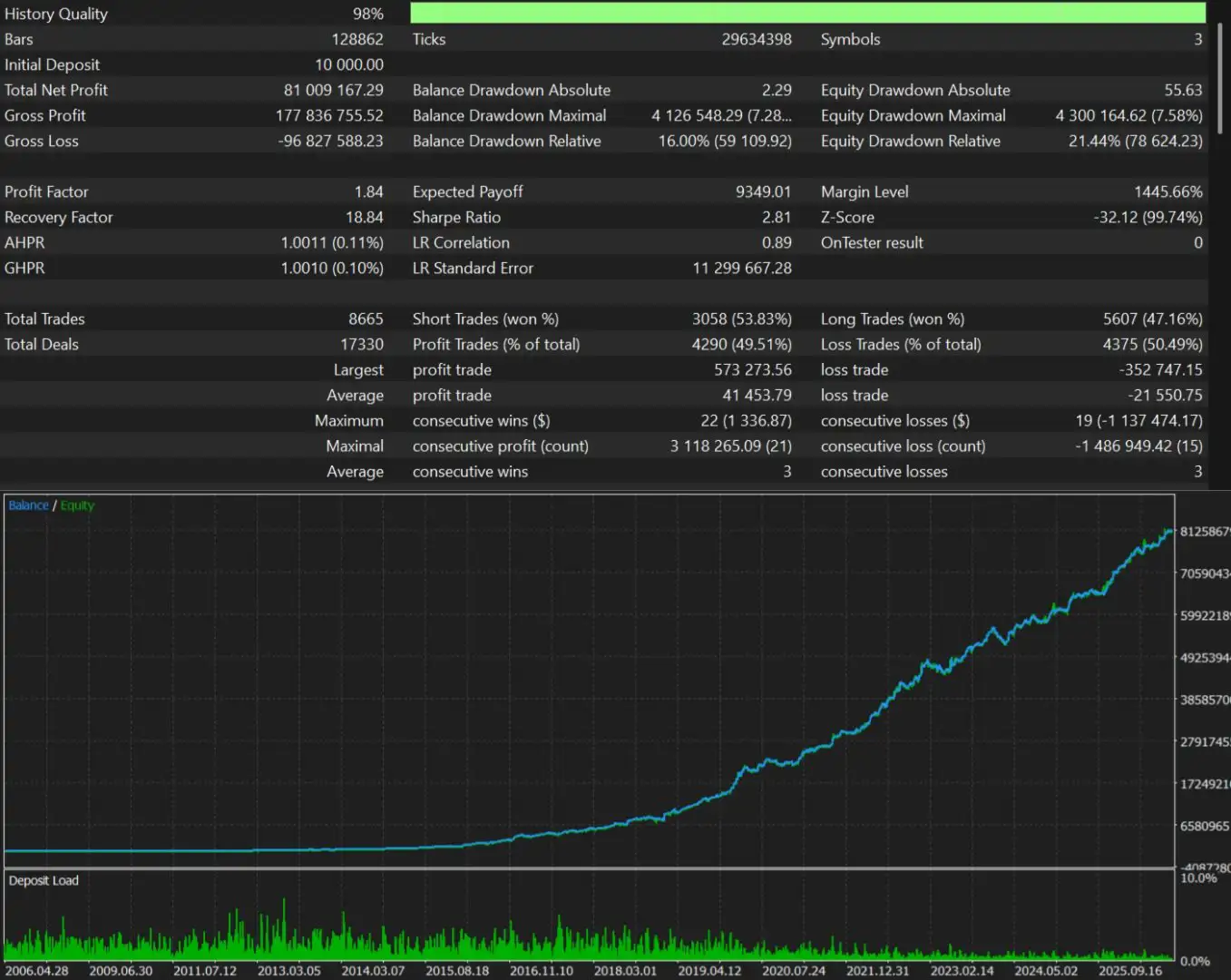
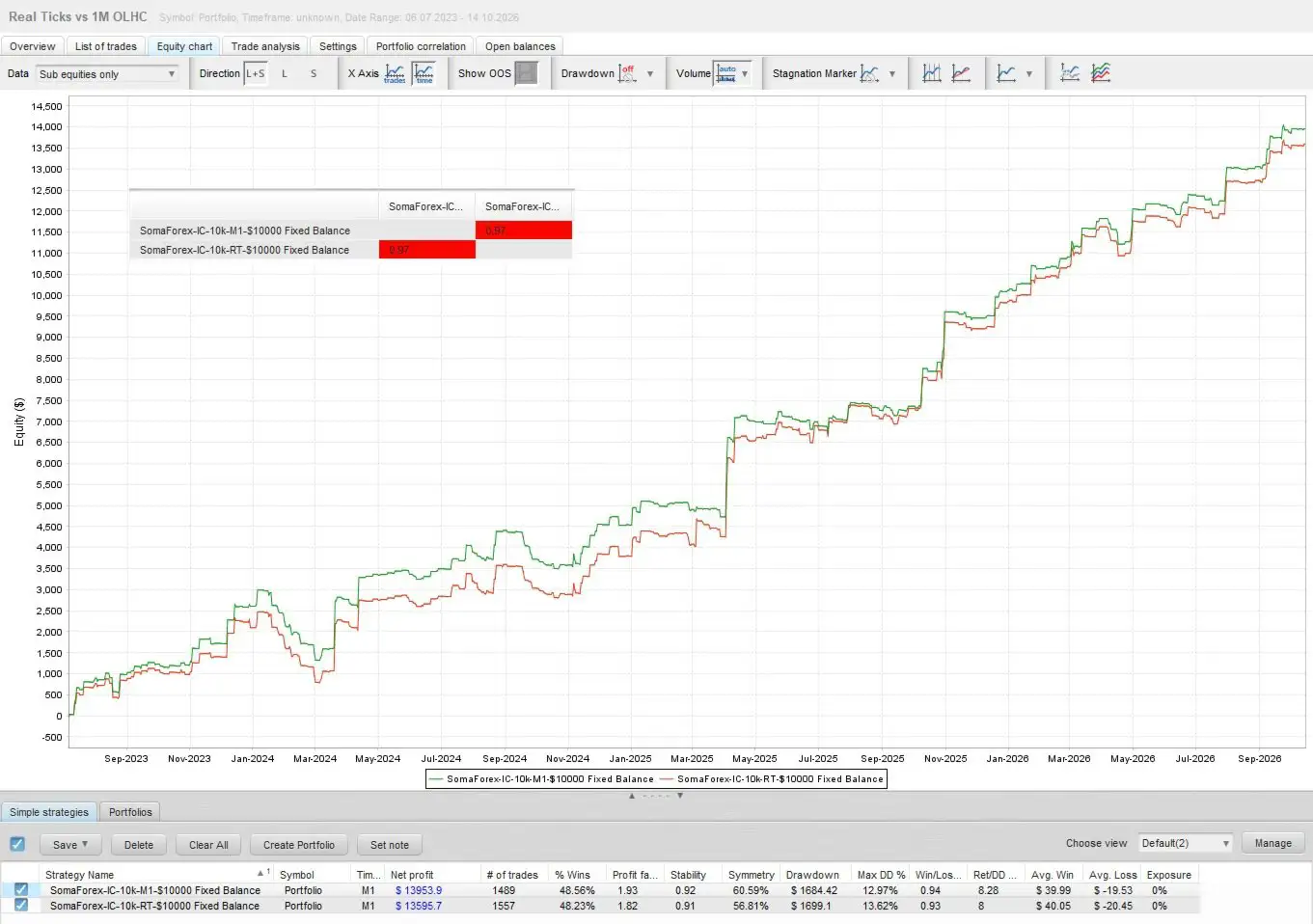
The supplied fixed-deposit tests cover balances from $1,000 to $10,000. Smaller accounts should use a reduced risk multiplier and should be tested carefully because margin requirements, minimum lot sizes, and transaction costs can have a proportionally larger effect.
A VPS can help maintain continuous platform operation, but it cannot guarantee uninterrupted execution or prevent broker-side outages.
For automatic GMT detection, add the required WorldTimeServer URL to MetaTrader 5’s allowed WebRequest URLs if the EA documentation specifies it. Follow the platform’s current settings instructions and verify that time detection is working correctly.
How to Test SomaForex MT5 Before Live Trading
A structured evaluation is essential before deploying a multi-strategy trading portfolio.
- Review the historical testing methodology. Examine the data quality, in-sample and out-of-sample periods, spread assumptions, commissions, swaps, slippage, and optimization criteria.
- Test the complete portfolio. Evaluate all enabled strategies together, rather than relying only on the results of the best-performing individual strategy.
- Examine drawdown and exposure. Review both balance and equity drawdown, simultaneous positions, margin utilization, and exposure across correlated currency pairs.
- Test the news and spread filters. Confirm that event windows align with broker time and that pending-order removal works as expected under different spread conditions.
- Verify order and exit behavior. Test stop-loss, take-profit, break-even, trailing exits, Friday closure, and any optional compliance features.
- Run a demo trial. Observe how the EA operates with your broker’s symbol names, spreads, execution conditions, and margin requirements before risking real funds.
- Monitor performance regularly. Review the dashboard and account history, especially during volatile market conditions and scheduled economic announcements.
Backtesting and demo trading are valuable evaluation tools, but neither can guarantee future profitability. Historical performance may differ significantly from live results.
Who Should Consider SomaForex MT5?
SomaForex MT5 may be worth evaluating for traders who:
- Want to run multiple breakout strategies through one MetaTrader 5 EA.
- Prefer a portfolio covering EURUSD, GBPUSD, and USDJPY.
- Need flexible automatic or fixed position sizing.
- Want configurable news, spread, and trading-time filters.
- Prefer to monitor account statistics through an integrated dashboard.
- Are evaluating automated strategies for a proprietary trading account and understand the provider’s restrictions.
The EA may be less suitable for users who want a completely hands-off system without monitoring, those who cannot tolerate drawdowns, or traders whose account conditions do not support multi-symbol trading.
Final Overview: SomaForex MT5 Multi-Strategy EA
SomaForex MT5 combines 34 independent breakout strategies across three major currency pairs in a single MetaTrader 5 Expert Advisor. Its portfolio structure incorporates multiple swing timeframes and breakout configurations, while its risk-management toolkit includes automatic lot sizing, margin call protection, economic news filtering, spread controls, and a configurable trading window.
Additional features include unique strategy magic numbers, an on-chart performance dashboard, optional prop firm compliance controls, and broker-specific symbol customization.
For traders seeking a multi-strategy Forex breakout EA, SomaForex MT5 offers a centralized way to operate and monitor a portfolio of automated strategies. However, the number of strategies and the presence of risk controls should not be mistaken for guaranteed diversification or profitability.
Before using the EA on a live account, independently assess its testing methodology, execution costs, drawdown characteristics, and compatibility with your broker and trading rules.
Risk Disclaimer
SomaForex MT5 is trading software and does not guarantee profits, stable returns, or successful completion of a proprietary trading evaluation. Forex trading involves substantial financial risk. Multiple strategies can lose money simultaneously, and leverage, slippage, spread widening, gaps, and execution failures can increase losses. Risk-management features can reduce certain exposures but cannot eliminate all trading risks. Thoroughly test the EA and use only capital you can afford to lose.















Reviews
There are no reviews yet.