 English
 فارسی
فارسی



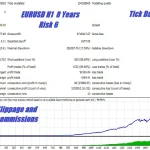
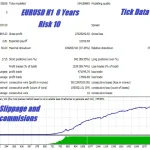
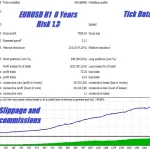

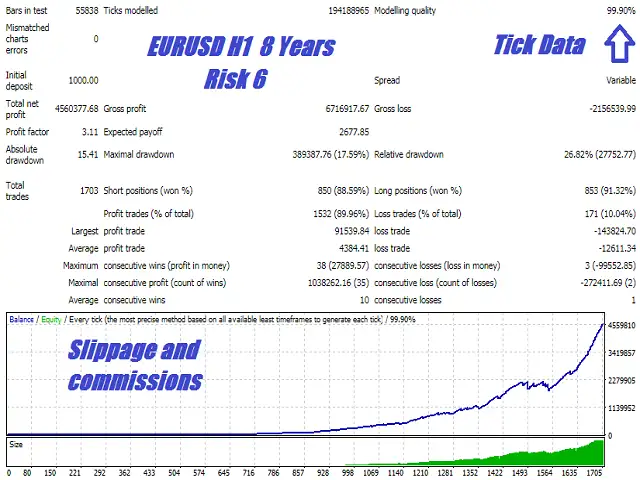


Intelligent Algorithm CEF Silicon Falcon for Forex Trading
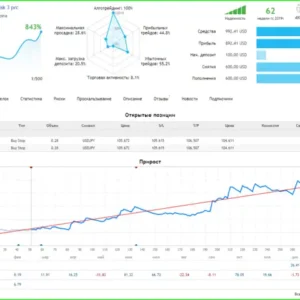
The intelligent algorithm CEF Silicon Falcon continuously adapts to the ever-changing market, making it a powerful tool for Forex trading. To back-test, choose the EURUSD 1-hour time-frame using the current spread in every tick mode, and run the test. This system is an exact clone of a system developed for a hedge fund under contract in Node.js. Identical systems are used in big banks and proprietary trading firms on Wall Street.
Primary Operation:
Designed for EURUSD H1, but additional settings are possible on other currency pairs.
User Variables:
- Use Money Management: Enables automatic lot sizing.
- MM Risk Setting: Risk setting used if money management is enabled.
- Lot Size: Fixed lot size if money management is disabled.
- Period for S/R Algo: Time frame for the entry algorithm.
- Channel Period: Length of the initial price channel.
- Bars After Signal Bar: Number of bars after high/low in the analyzed channel.
- Look Back Period: How far into the past to scan for scalping channels.
- Max Pending Orders: Maximum number of pending orders.
- Min Trade Spacing: Minimum pips between entry orders or past positions.
- Buy Order Offset: Amount above channel high to place pending entry orders.
- Sell Order Offset: Amount below channel low to place pending entry orders.
- Min Dist New Orders: Minimum distance from current bid/ask for new entry orders.
- Target Profit: Target profit in pips.
- Stop Loss: Stop loss in pips.
- Trailing Stop: Trailing stop in pips.
- Trail Step: Trail step in pips.
- Break Even Activation Pips: Price must reach this far into profit for breakeven activation.
- Pips to Lock In: Pips to lock in with breakeven activation.
- Time Choice: Choose between GMT, Broker (trade server), or Local (PC/VPS) time.
- Use Trading Hours: Set to true to use trading hours.
- Close Trades Outside Hours: Close open positions outside of trading hours.
- Hour to Start Trading: Hour to start trading (using broker time).
- Hour To Stop Trading: Hour to stop trading (using broker time).
- Friday Exit Hour: Hour to stop trading on Friday and delete pending entry orders.
- Close Trades On Friday: Close open positions after Friday close.
- Use Rollover Protection: Set true to activate rollover protection, taking action 5 minutes before and after broker rollover time to protect the account.
- Rollover Hour: Hour of rollover (22 if using GMT hours and broker is GMT +2; 0 if using broker hours).
- Rollover Order Distance: Distance within which rollover protection will delete entry orders to prevent them from being filled with a huge spread.
- Rollover Widen SL Pips: Amount to widen stop loss of open positions during rollover. Normal size SL will be replaced immediately after rollover.
- Sunday – Friday: Choose to trade or skip (True or False).
- Trade NFP Friday: True or False.
- Trade Thursday Before NFP: True or False.
- Trade Christmas Break: True or False.
- Day To Begin Break: Day to begin break (e.g., 15 for 15th December).
- Trade New Year Holiday: True or False.
- Day To Return After Break: Day to return after break (e.g., 3 for 3rd January).
- Transparent Display: Set true to see through on chart display.
- Trade Comment: Comment to be sent with trades.
- Max Spread: Maximum spread allowed for entry orders and before orders are deleted for safety.
- Distance To Cancel: Distance in pips within which orders will be deleted if the maximum spread is exceeded.
- Max 1 Min Spike Size: Maximum spike size allowed on the 1-minute time frame. Orders will be deleted for safety if exceeded.
- Time Out: Timeout duration after a big spike or spread.
- FIFO Friendly: Enable for FIFO brokers.
- Magic Number: Use a unique number for each strategy on any additional instance of Apex running on the same account and currency pair.
By utilizing the CEF Silicon Falcon, traders can benefit from a sophisticated, automated trading system designed for optimal performance and risk management in the Forex market.

















Reviews
There are no reviews yet.